3
About Jobs
Control Job
Create a Job in the office and store some
coordinate data to be used by several field jobs.
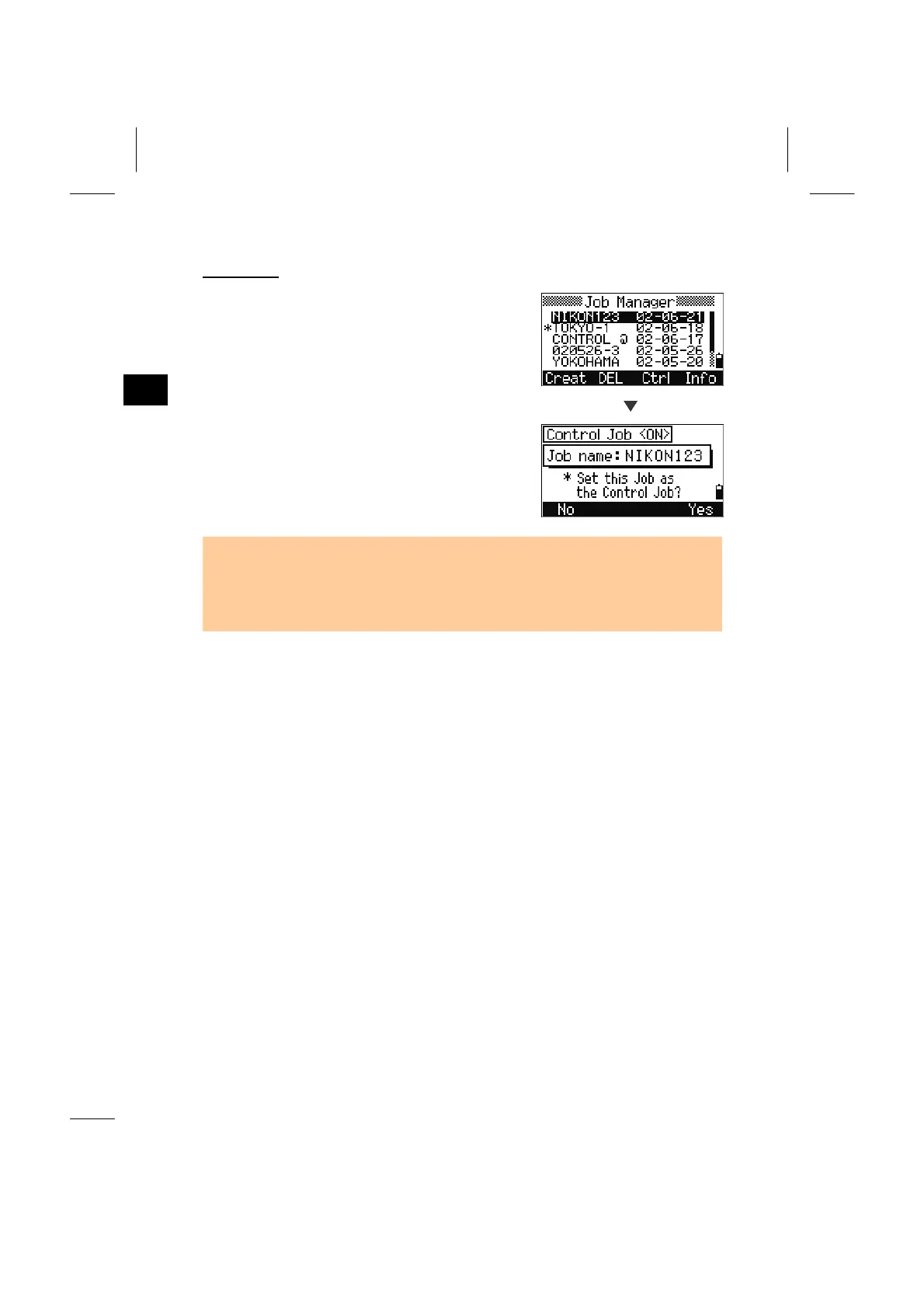
(1) Press [MENU] and [1] to enter the Job
Manager.
(2) Move the cursor onto the job you want to use
as the common file (control job).
Ctrl
(3) Press the [Ctrl] softkey and follow the
message to finish the function. (See p.3-88)
• Points in the Current Job are searched first. When the point is not found, then the
search is extended to the Control Job automatically.
• When the point is found in the Control Job, the selected point will be copied to the
current Job as a UP record.
3-17



 To Next Page