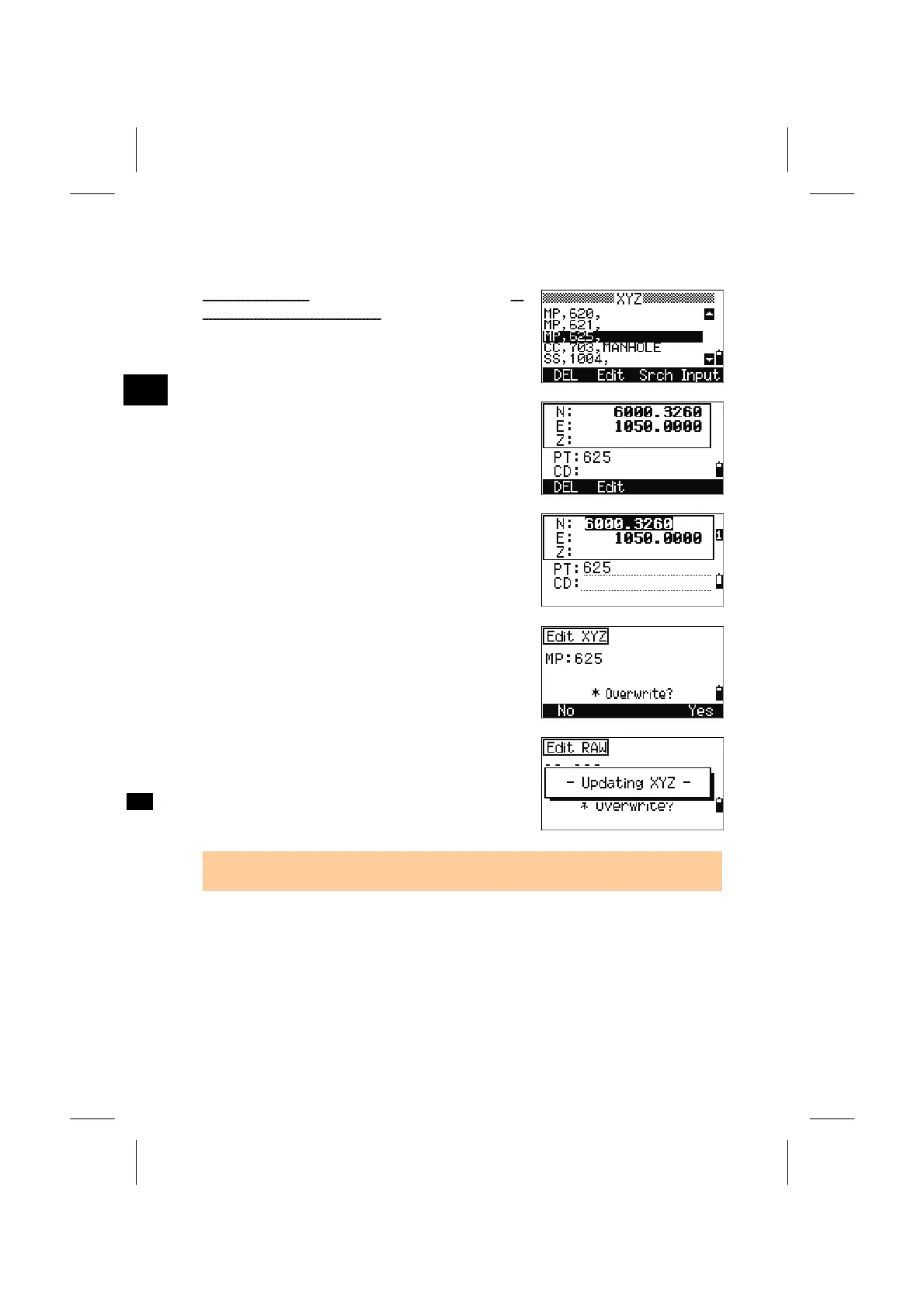
4-3-2. Edit Coordinate record
Place the cursor using the Up/Down arrow keys to
the record you want to edit, then press [Edit].
3
MENU: 4. Data
[Edit] can be activated from the detailed data screen
shown right.
Move the cursor by using the Up/Down arrow keys
and modify necessary fields. You can edit PT, CD
and coordinates.
Pressing [ENT] in the CD field to finish editing.
A confirmation screen is shown.
Press the [Yes] softkey or the [ENT] key to approve
the modification. Press the [No] softkey or the
[ESC] key to back to the edit screen.
• Coordinate record for the current Station cannot be edited.
3-113



 To Next Page