8. ERROR MESSAGES AND ACTIONS
8-1
8
ERROR MESSAGES AND ACTIONS
1) When recording data
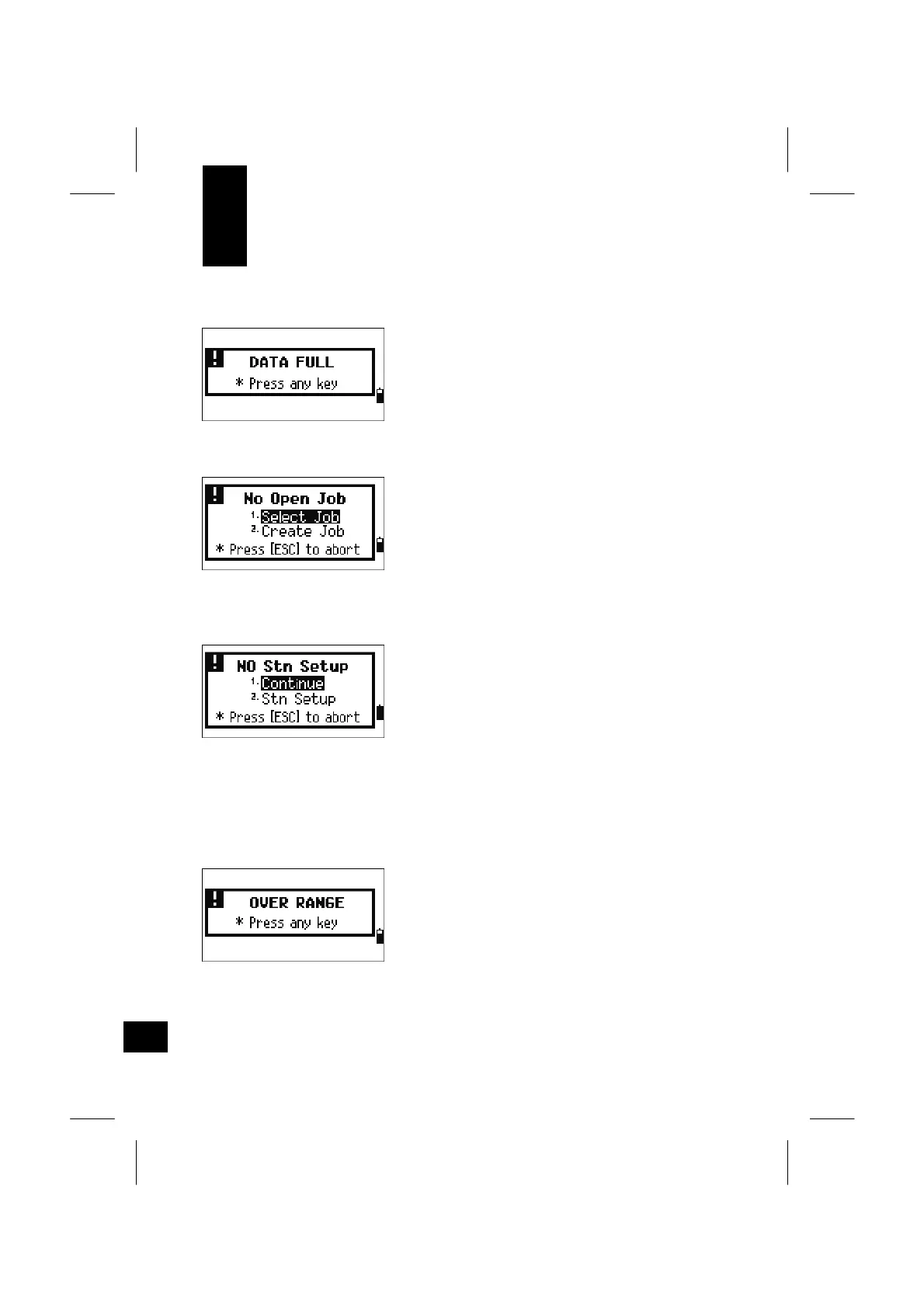
The data storage is full.
Action: Press any key to return to the BMS.
Then, you need to delete unnecessary
data by entering [MENU] → [4:Data] or
delete a job via [MENU] → [1:JOB].
A Job is not opened.
[1: Select Job] = goes to Job list if there is an
existing job.
[2: Create Job] = displays a new job creating
screen.
[ESC] = returns to the previous screen.
There is no Station record in the current job. Or,
a Station setup or BS check has not been done
since the program was re-booted.
[1: Continue] = continues recording process after
the following comment. If a
previously recorded ST is in the
job, “CO, Use current orientation”.
[2: STN Setup] = goes to the STN menu.
[ESC] = returns to the previous screen.
Coordinate you are trying to record is more than
13 digits.
Action: Press any key to return to the previous
screen. Check the current ST
coordinate.



 To Next Page