131Service Manual – SC401, SCRUBTEC 344 30 - Solution System
Detergent Tank and Detergent System Cleaning
1. Drive the machine to the appointed disposal area.
2. If equipped remove the ignition key, then disconnect the red battery connector.
3. Lift the recovery tank cover and check that the recovery tank is empty; if not, empty it using the drain
hose.
4. Close the recovery tank cover, then lift the recovery tank.
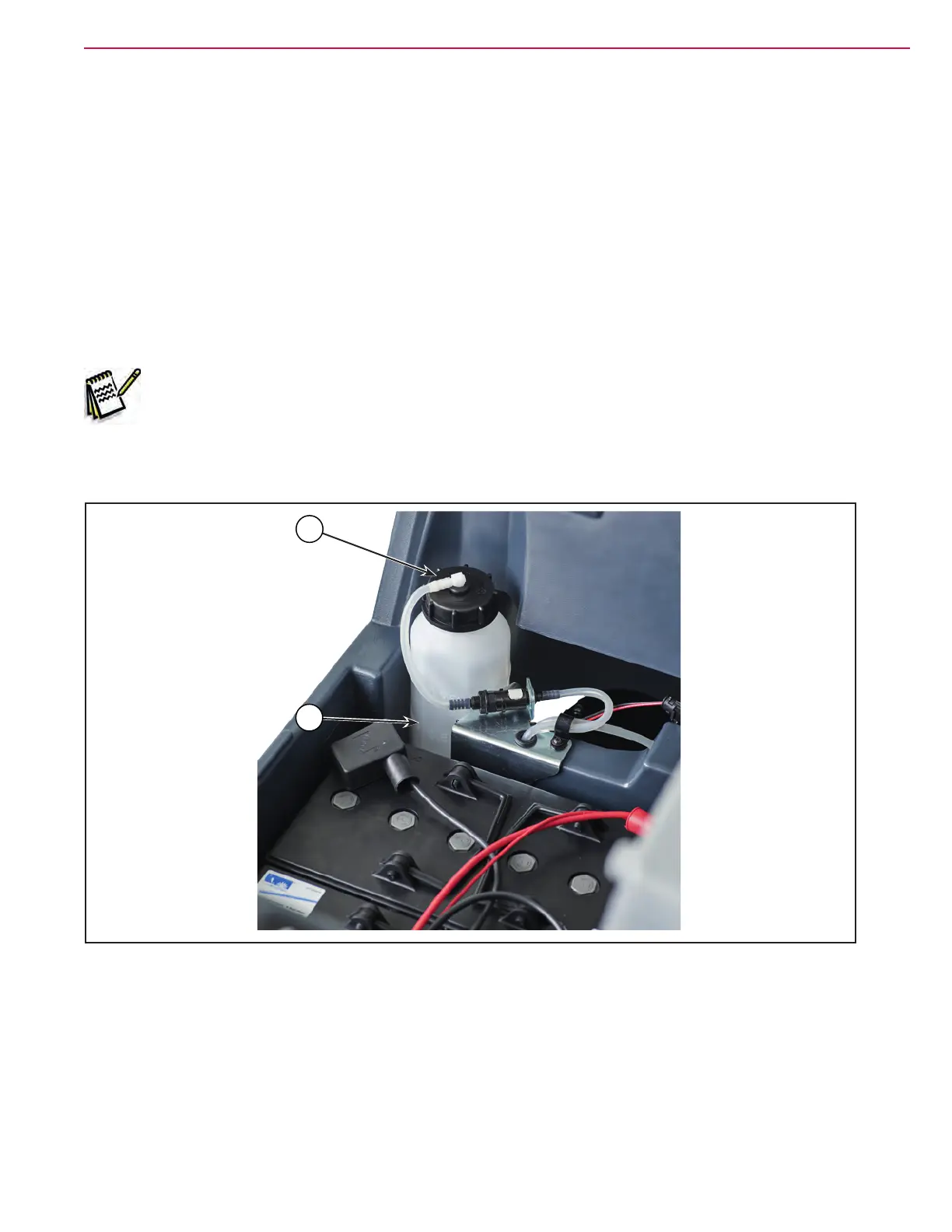
5. Unscrew the cap (A) from the detergent bottle (B).
6. Remove the detergent bottle.
7. Rinse and wash out the detergent bottle with clean water in the appointed disposal area.
Note: For a thorough washing of the Detergent System, the cleaning procedure can also be
performed with the detergent bottle full of water. Turn on the system with the ow set to
the maximum. It is advisable to perform this type of cleaning when the Detergent System is
dirt/encrusted up, because the machine has not been used/cleaned for a long time.
8. Replace the detergent bottle (B), then ret the plug (A).
Figure 8:
A
B


 To Next Page
 Loading...