© 2005-2016 Nira Control AB 45
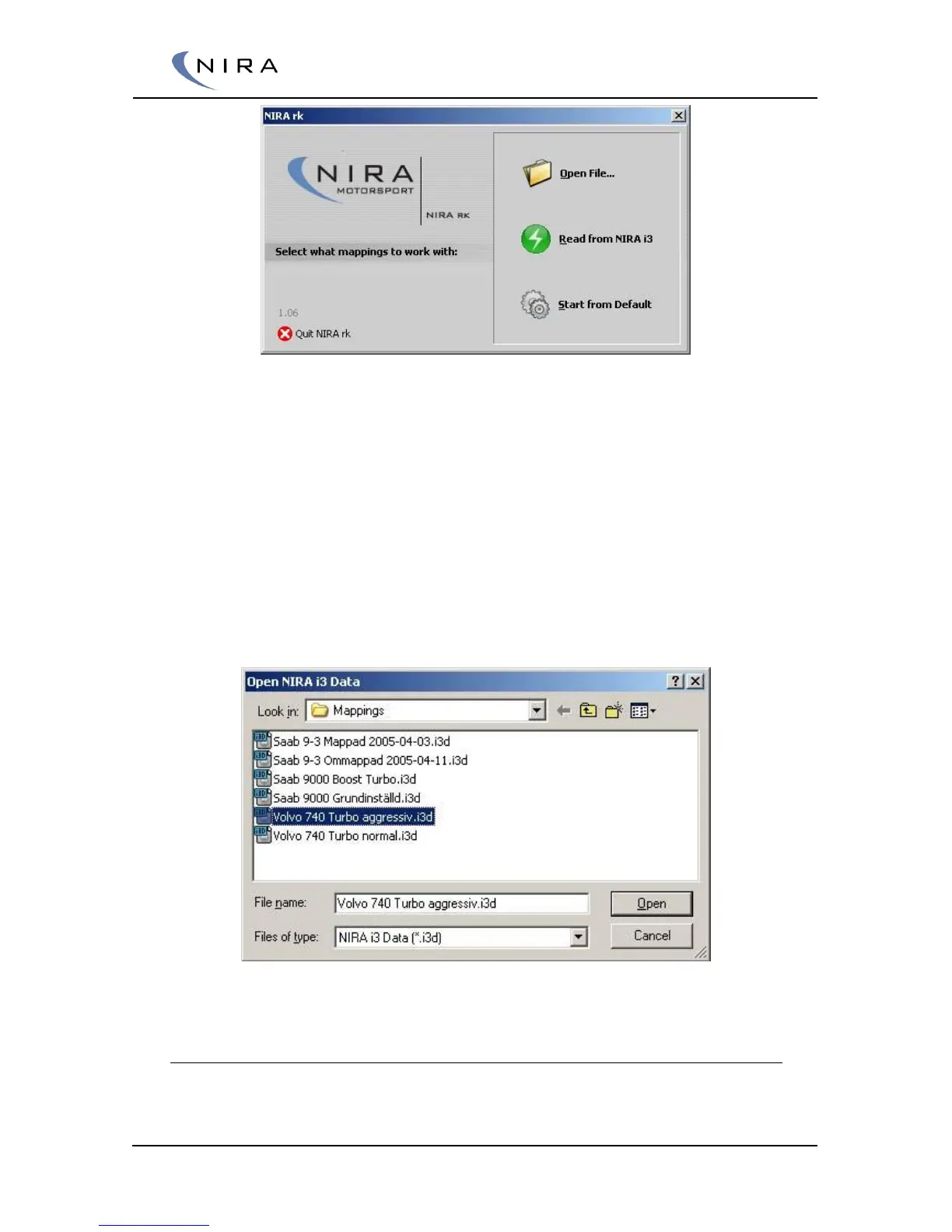
Picture 4-2. Welcome Screen
In this screen you can choose among several options. Open File... lets you
open an existing i3d file (a file with calibration data.) Read from NIRA i7x
loads calibration data from NIRA i7x into NIRA rk. Start from Default starts
NIRA rk with default settings.
If you are using an i3d-file supplied by your NIRA dealer, it’s recommended
that you first make a copy of the file before making any changes. This way
you can always return to the original file.
If you select ”Start from Default”, NIRA rk will start in a default mode and all
adjustments have to be done by you.
Picture 4-3: Opening an appropriate i3d.
4.2.3 Wizards
If you opted to start NIRA rk in default mode (see previous section), you must
go through all Wizards before you can load any calibration data to NIRA i7x.


 To Next Page