© 2005-2016 Nira Control AB 46
This is necessary in order to ensure that you’ve entered appropriate values
for all Engine Setup-parameters before you start mapping. Otherwise, the
calibration effort may be unsuccessful, should it turn out that you’ve been
calibrating with inaccurate basic engine setup parameters.
You can re-run any of the Wizards later, e.g. in order to read the extensive
on-line help available in the Wizards or if you’ve changed one of the sensors.
All Wizards are available under “Wizards” in the main menu.
Any changes you make inside a Wizard only become permanent after you’ve
selected ”Finish” on the last page of the Wizard. You can cancel out of the
Wizard at any time by closing the window (clicking on the “X” in the top right
hand corner of the window.)
It’s very important that you go through all pages of all Wizards and
enter correct values.
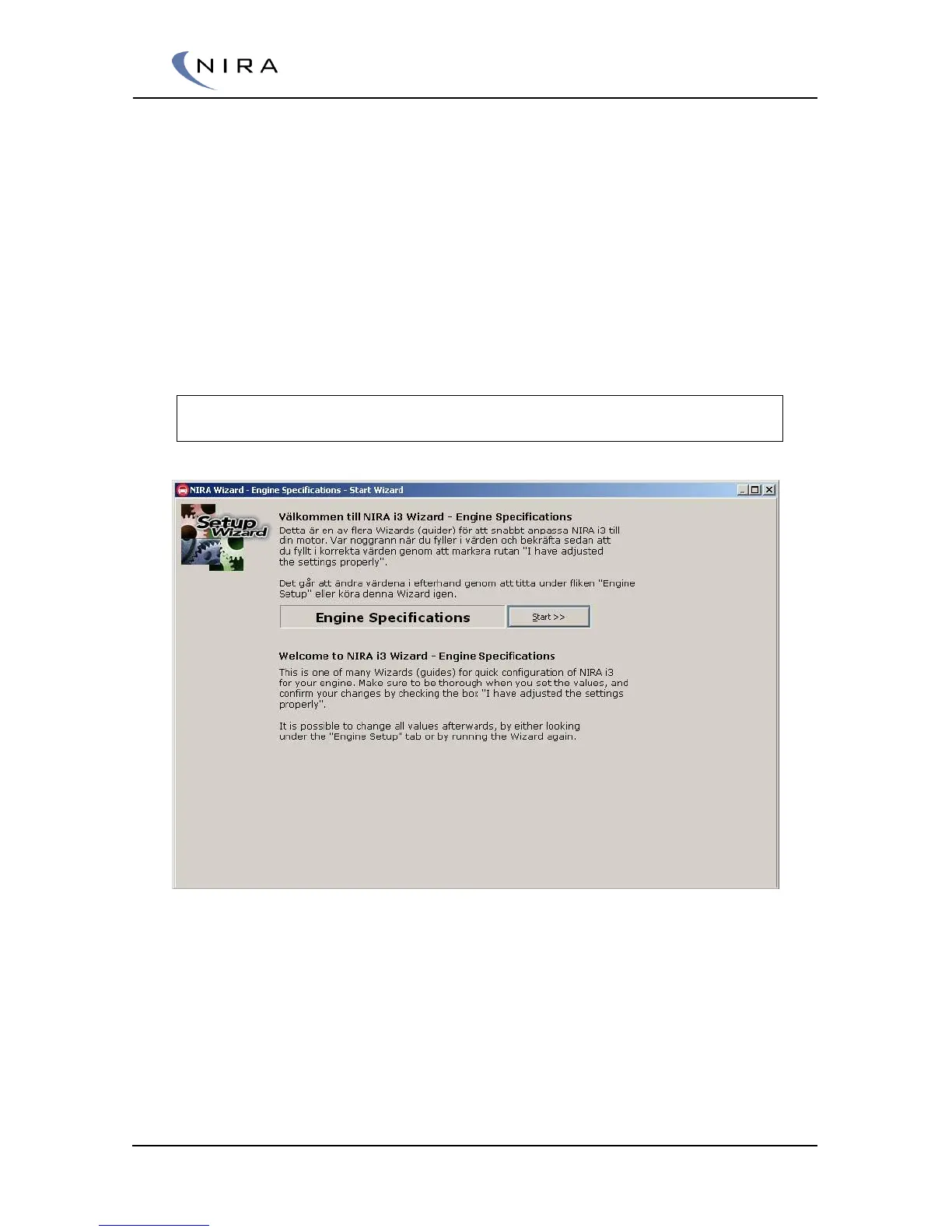
Picture 4-4: NIRA i7x Wizard: Engine Specifications is one of the Wizards you must go
through before you’re allowed to upload data to NIRA i7x.
Once you’ve gone through all Wizards and entered correct values, it’s
recommended that you save all current settings as an i3d-file. Use “Save
As...” under ”File” in the main menu, or hit F4. Try to give the i3d-file a
descriptive name, perhaps including the date, since this will make it easier to
find the file later.


 To Next Page