24
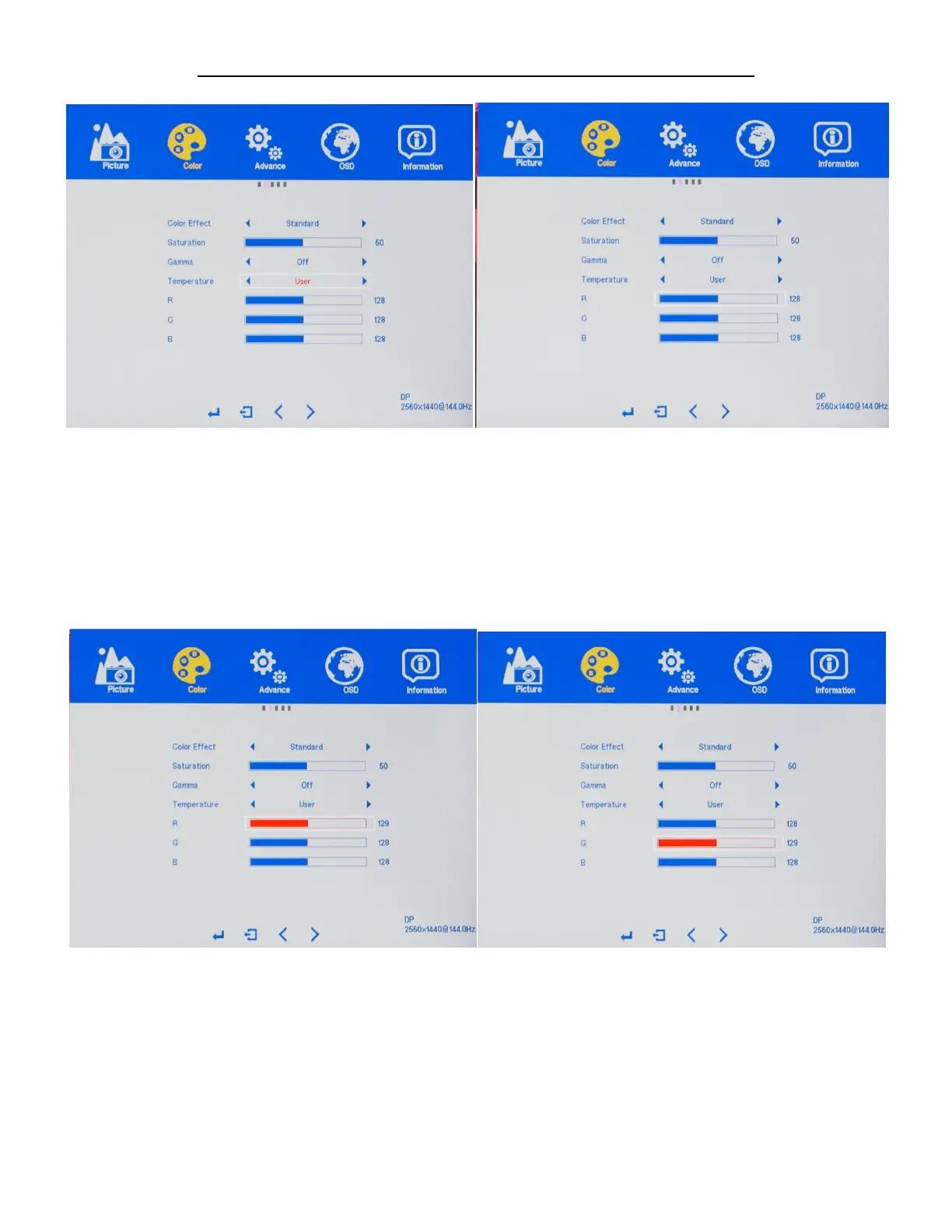
TEMPERATURE - USER (Custom Color Temperature Adjustments)
a) To adjust the RED settings, highlight R and press "MENU".
b) Use the arrow buttons "DOWN" or "UP" to adjust between 0 to 100 for the RED temperature settings.
c) Once you set your desired RED temperature settings, press "MENU" to confirm selection and press
"AUTO" exit to COLOR sub-menu to adjust the next color settings.
a) To adjust the GREEN setting, Use the buttons "DOWN" or "UP" to navigate and highlight G and press
"MENU".
b) Use the buttons VOL -" or "VOL+" to adjust between 0 to 100 for the GREEN temperature settings.
c) Once you set your desired GREEN temperature settings, press "MENU" to confirm selection and press
"AUTO" exit to COLOR sub-menu to adjust the next color settings.


 To Next Page