System Setup
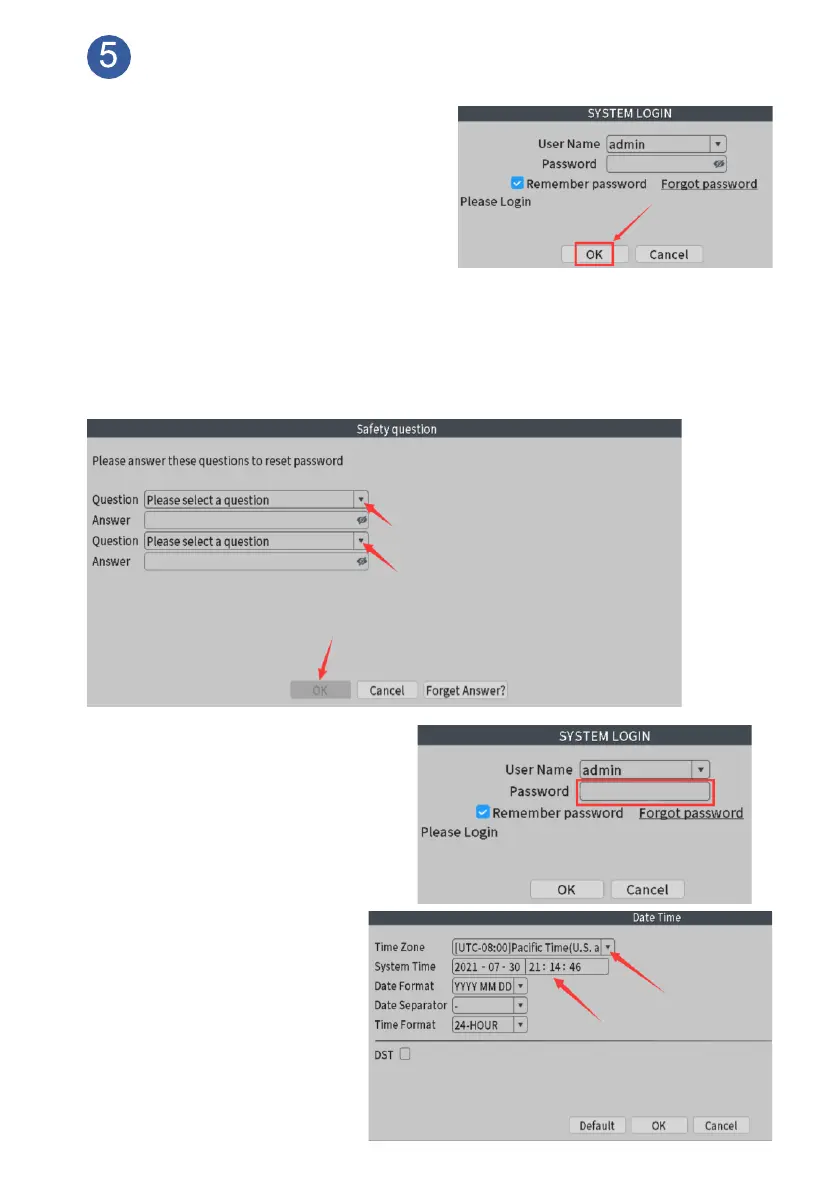
Change Password: After installing the
system, turn on your NVR and cameras
by the correct power adapter separately,
camera image will show on screen one
by one. Right click your mouse at
monitor, choose Main Menu, for safety
consideration, you’ll be asked to change
password and set security questions
first.
Notice: Please remember the password and security QA, it may take efforts to
reset password if you forgot the password.
Log in: Click Next, you’ll see
password page pop up. Input
your password. Simply click
Log in to access the system.
Set Time: After login,
please navigate to Main
Menu>Date Time, set time
zone and time.
Note: If you forgot password,
please check FAQ4 on page21



 To Next Page