Q12:The mobile phone can’t receive the alarm message
Please refer to pages 17-18 of the manual for app settings and mobile phone
permission settings.
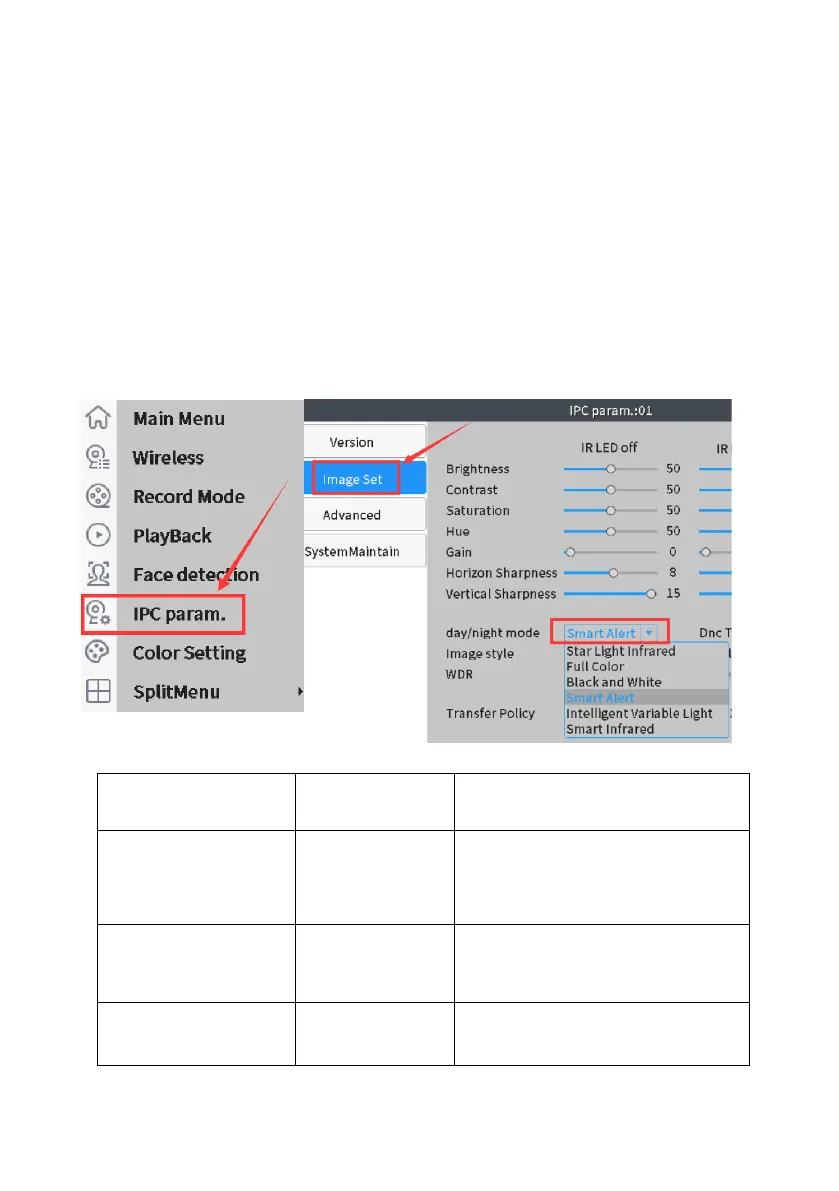
Q13: How to change the camera lighting mode?
The floodlight will automatically switch on at night when the camera detects human
movements, and it offers true color videos. You can always turn off the floodlight:
A: Before customizing the mode, double click the selected channel to enter full
screen mode.)
B: Right click mouse choose
“IPC Param”> “Image Set”> “day/night
mode”> Choose
“Smart Infrared mode”
if you want to turn off the
floodlight.
(Note
: The default setting is “
Smart Alert
”)
Default black & white video,
floodlight switch on once detect
humanoid, change to color
video
Default black & white video,
floodlight will never turn on



 To Next Page