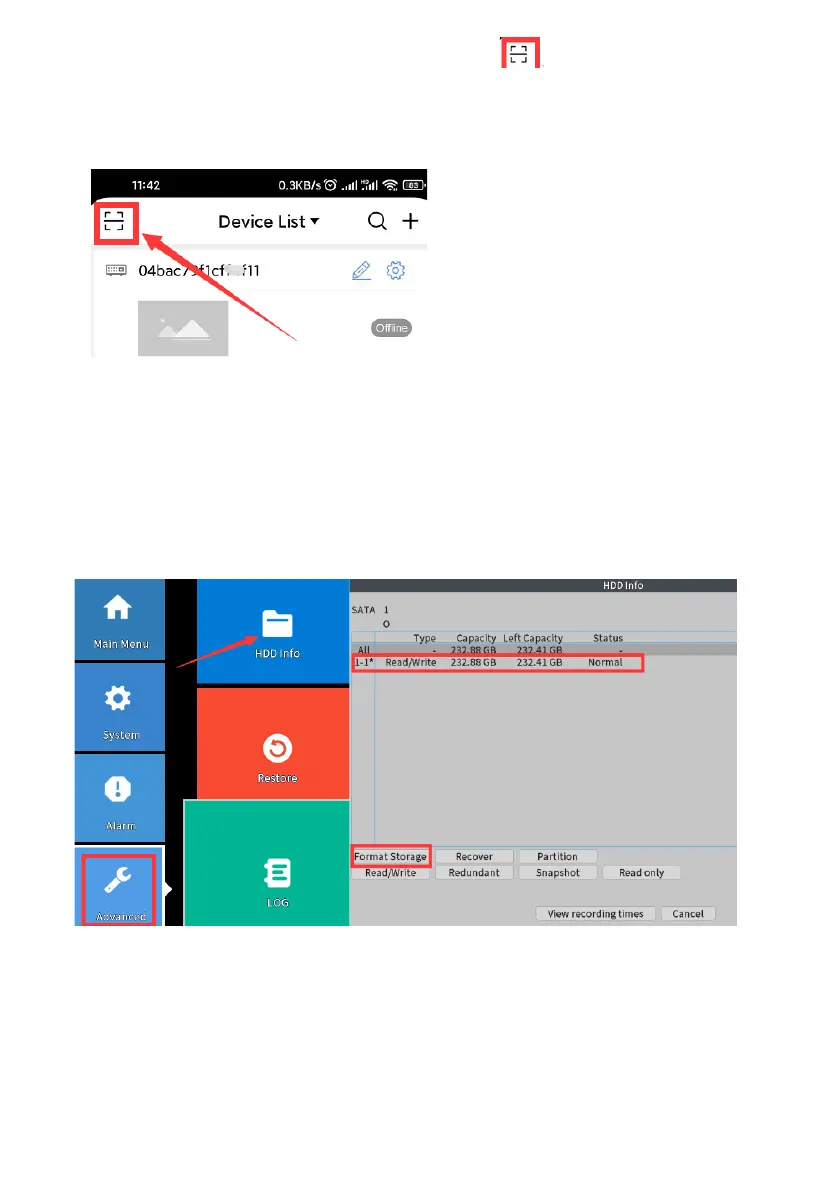
2. Please login in your “XMEye pro” app, click scan button on the upper
left corner, scan the CAPTCHA code (left side) on the screen,
And you will see the CAPTCHA code, fill the code on the screen (refer to
above picture), click “OK”, then you can set the new password.
Note: If you enter wrong password
for three times, the username will be
locked, please reboot the system, or
try again after half an hour later.
Q5: Why can’t I record or playback?
1. Please check the system you purchased preinstalled hard drive or not?
If not, please purchase a surveillance hard drive and install in the NVR.
2,Click Main Menu>Advanced>HDD info
If the hard disk status is abnormal, click Format.



 To Next Page