3,Check whether the hard disk
data cable and power cable are
plugged in tightly.
Q6: After connecting, why nothing shows on screen?
1. Please make sure your monitor has been set to HDMI Mode (Please
match it with your HDMI Port), and HDMI cable is tightly connected.
2.
Make sure the resolution of your Monitor is 960P or higher. Because
the output resolution of our system is 1280*1024P.
If monitor’s resolution is not compatible, image won’t show up either.
3.
Please try to connect NVR to another monitor with higher resolution,
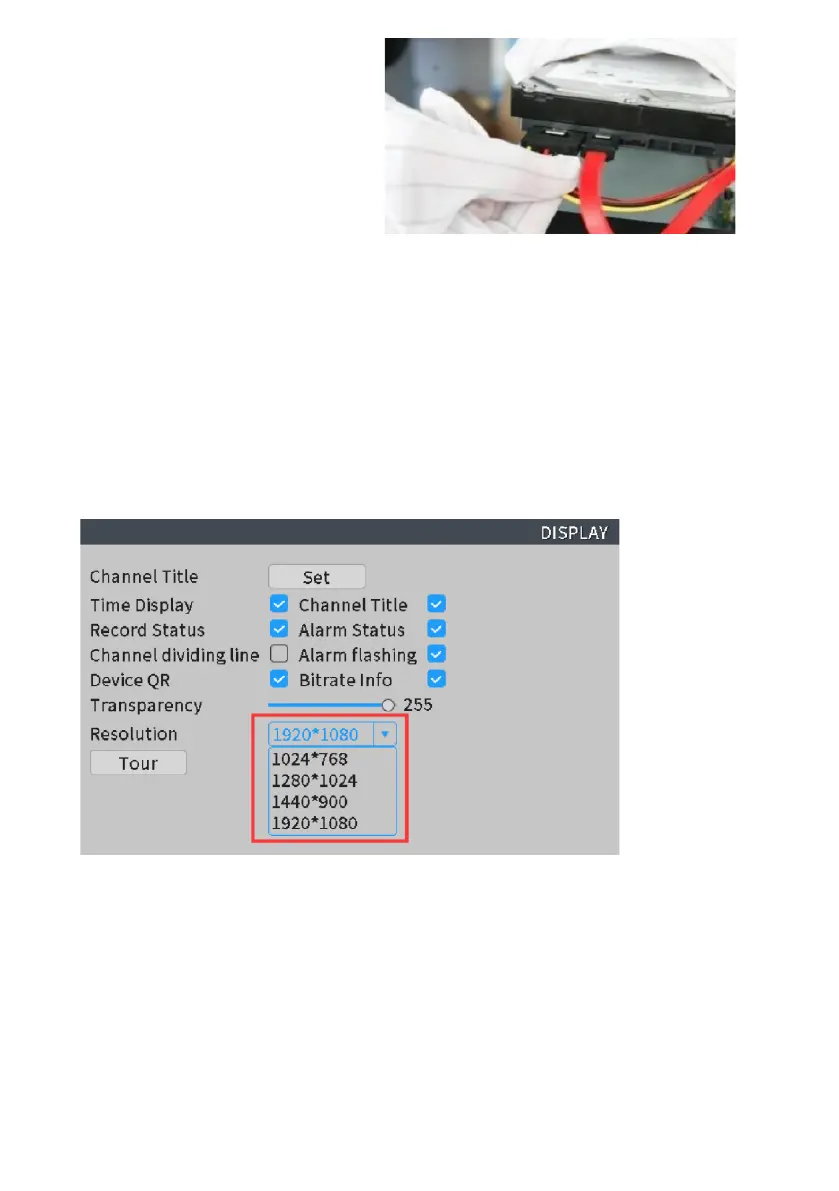
after images show up, please right click the mouse—Main Menu –System
Setup-- Display--adjust to lower level, such as 1024*768--Click ‘Apply’ to save.
4.
If the problem continues, please try to connect NVR to monitor by VGA cable
directly and set the monitor mode to VGA. Since VGA connection is more stable
than HDMI connection.



 To Next Page