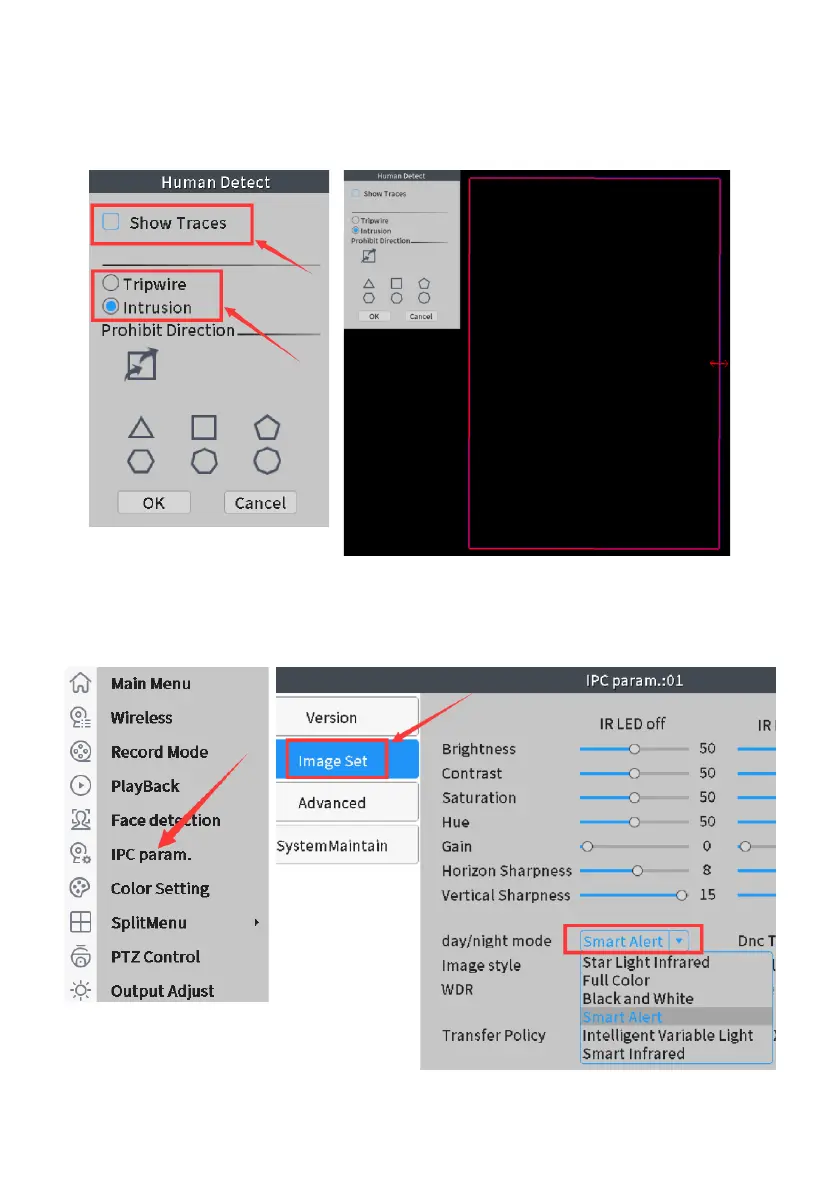
Click “Rule”: You can select an important area to detect human. Default
human detection area is whole screen, please simply drag your mouse to
select specific area within red box for human detection. Click OK to save.
How to turn off camera floodlight:
Right click mouse: IPC param>Image set>day/night mode>smart
infrared (Default setting is Smart Alert)



 To Next Page