Smart Playback
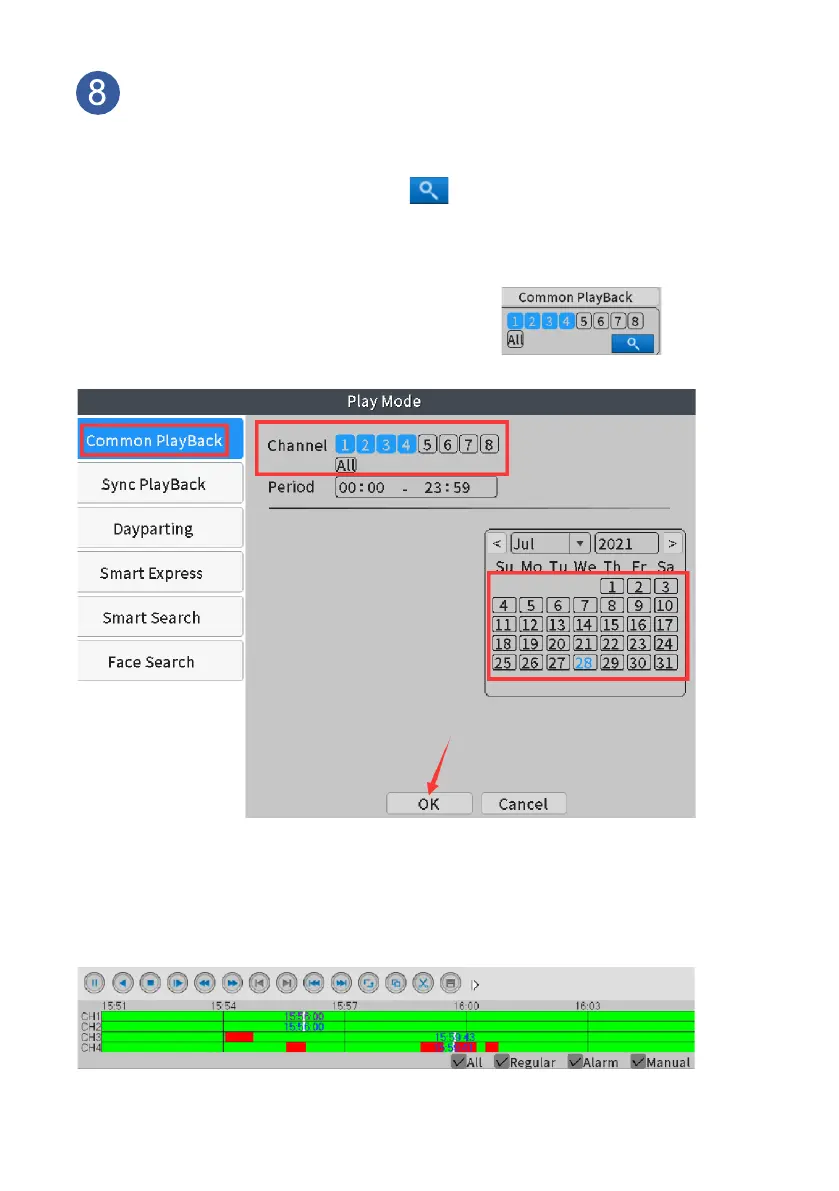
On home screen, please right click the mouse-- navigate to
Playback>Common Playback:
Choose the Channel and Date, click Search button. Timeline
in colors will show up at bottom of screen, different color refers to
different record type, click time spot on the timeline to start playback.
Right click your mouse, choose “UpWindow”
to navigate out.
(Note: only 4 channels can be selected at a
time)
Check human detection recording only: the red line refers to
Human Alarm recording, put your mouse on the timeline, scroll
mouse, the timeline will be expanded, please click on the red line to
check human detection recording.



 To Next Page