Remote view on Smart Phone
How to remote view on “XMEye
Pro” App
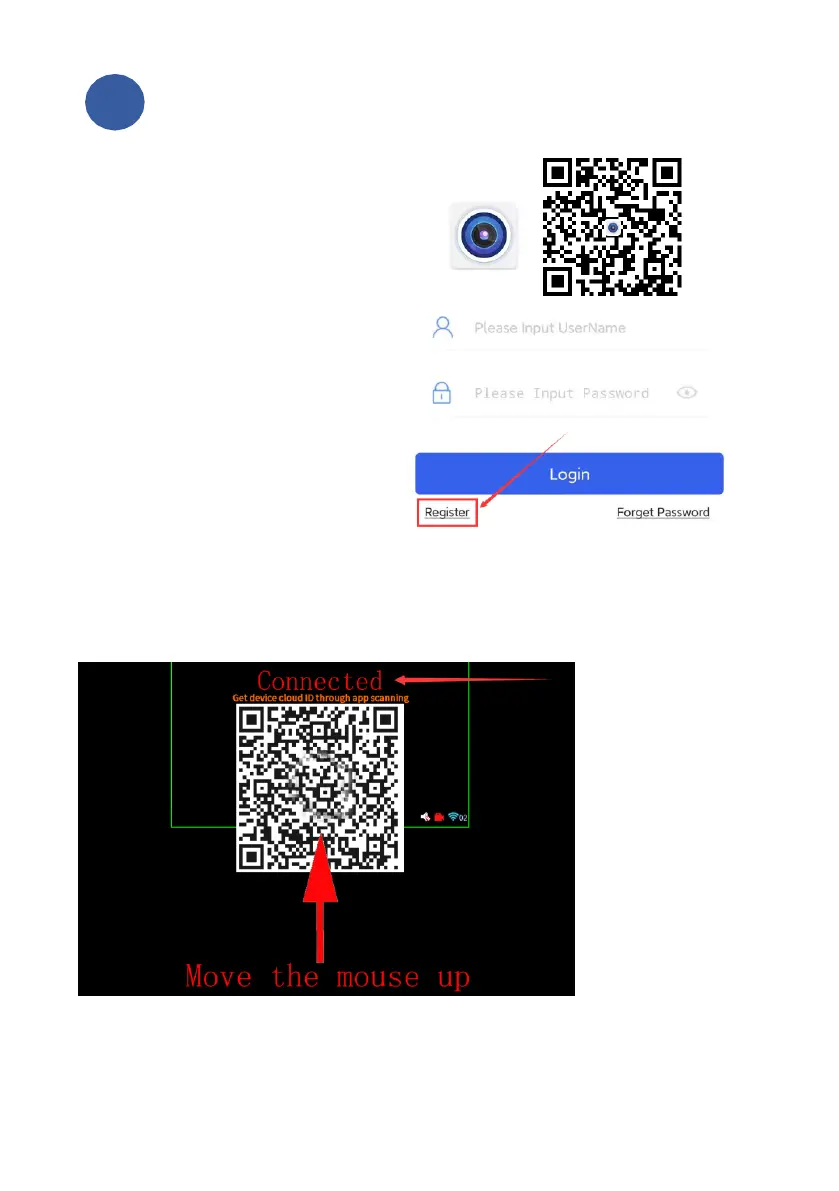
Step1: Please download the free
app “XMEye Pro” in App Store or
Scan QR code to download app.
Step2: Register
Open the app, click Register to
create an account base on your
email address number. Then log in
with your registered account.
Step3: Find Device QR code
QR code is on your monitor. Put your mouse at top center of your screen, and you
will see the AR code.
Attention: It must show "Connected" above the blue indicator line
(As show below) If it shows "Not connected", It’s in unconnected status,
Please check the FAQ2 from the User Manual.
Q: If there is no QR code.
A:Log in first. Please click the right mouse button, select the main menu,
log in, and then exit the menu. Move the mouse up Again and there will be
a QR code.



 To Next Page