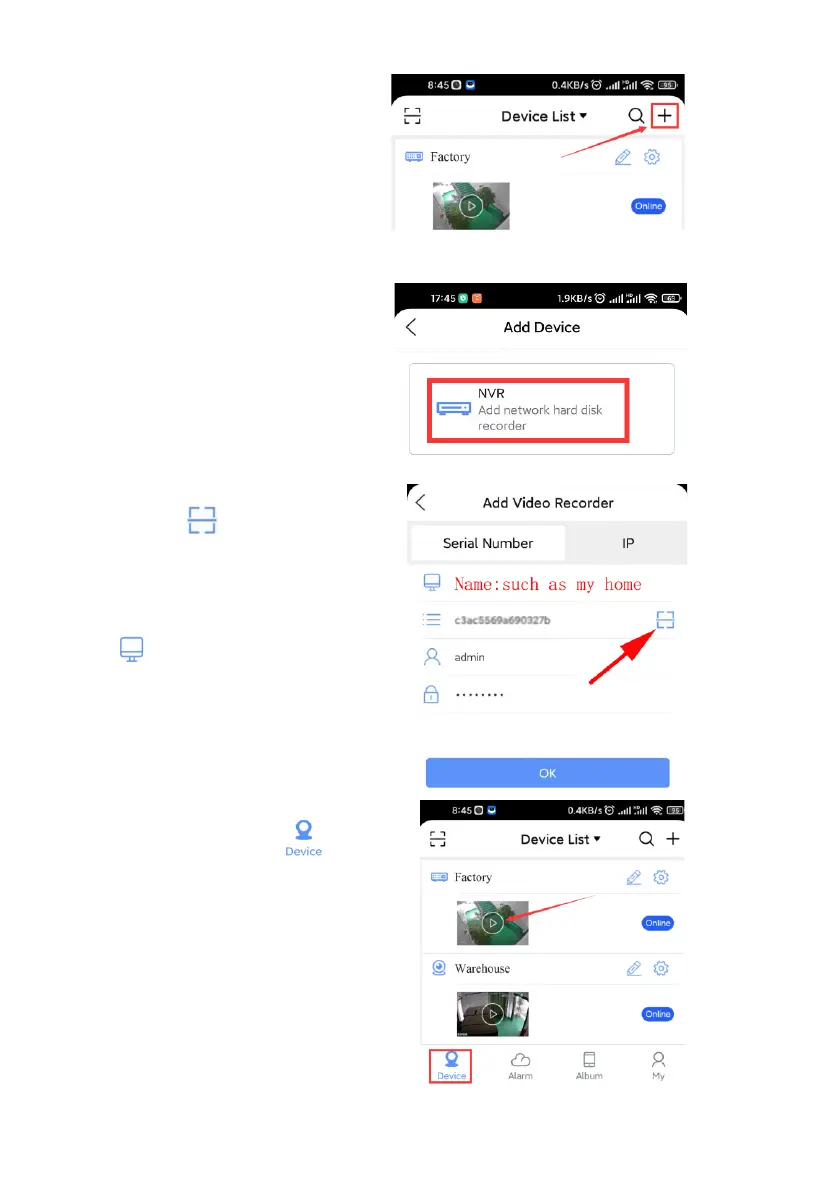
Step4: Add device
⚫ After log in your existed
account on XMEye Pro app,
click ‘+’ button at upper
right.
⚫ Click “NVR”.
⚫ Click“ ” button to
scan the QR code (Refers
to Step3) Besides, write your
own device name on the
icon. Click OK.
Step5: How to Use the app.
Please navigate to the ,
Click Play icon to preview.



 To Next Page