Backup
Please kindly noted that system has overwrite function, old files will be
deleted when HDD is full. Please back up important videos on your
computer via USB flash drive by following steps.
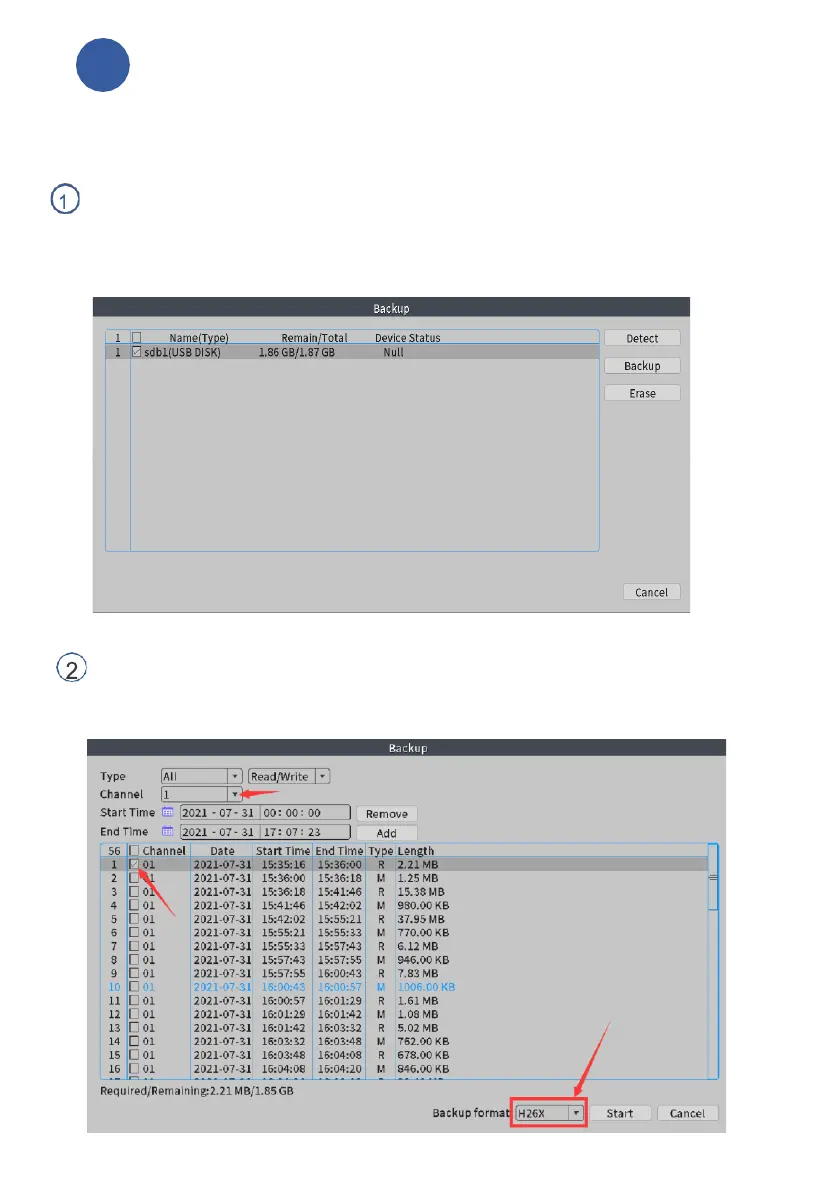
From the home screen, please right click your mouse, choose Main
Menu- System Setup>Backup, insert a USB flash drive into the USB port
of NVR box, click Detect, after the flash is searched out, please select it,
click Backup.
Select Record Type, channel, set start time and end time, click Add, video
files will show up in the area, please select target file, click Start.
(Backup format: optional AVI or MP4)



 To Next Page