Preparation to setup
Before installation, be sure to have following items:
TV/PC monitor (Not laptop or all-in-one computer), 960P or higher resolution
VGA/HDMI cable
Router (WAN)
Hard drive. Hard drive is required for recording. If you purchase the system
without HDD pre-installed, please install one by yourself.
Please make sure the size and configuration: 1 to 4TB HDD can be
supported. Internal, SATA Interface, 3.5/2.5inches.
Notice: This user manual designed for different system model, if your
system has pre-installed hard drive, please skip this step, and check further
steps to install the system.
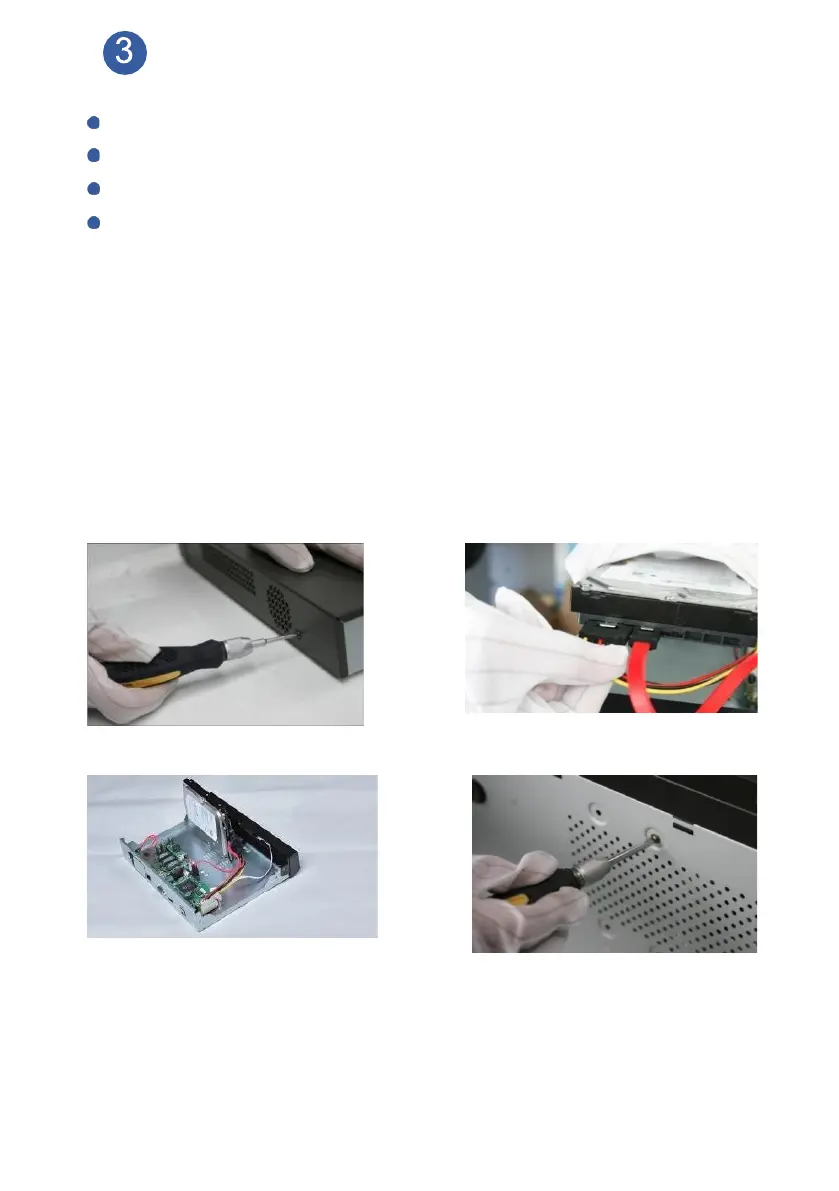
How to install hard drive into NVR box:
Please power off NVR before installing hard drive.
Loose the top two screws to remote the cover Connect data wire and power wire to hard drive
Connect data wire and power wire to Main Board Screw HDD to the bottom, replace cover
Notice: New Hard Drive need to be formatted before recording. After installation,
on your monitor, please navigate to Main Menu>Advanced>HDD Info,
choose the hard drive, click Format Storage.



 To Next Page