Installing cameras
Do not attempt to mount your cameras until you are able to view images on
your TV or PC monitor first.
Disconnect all Ethernet cables from cameras after testing.
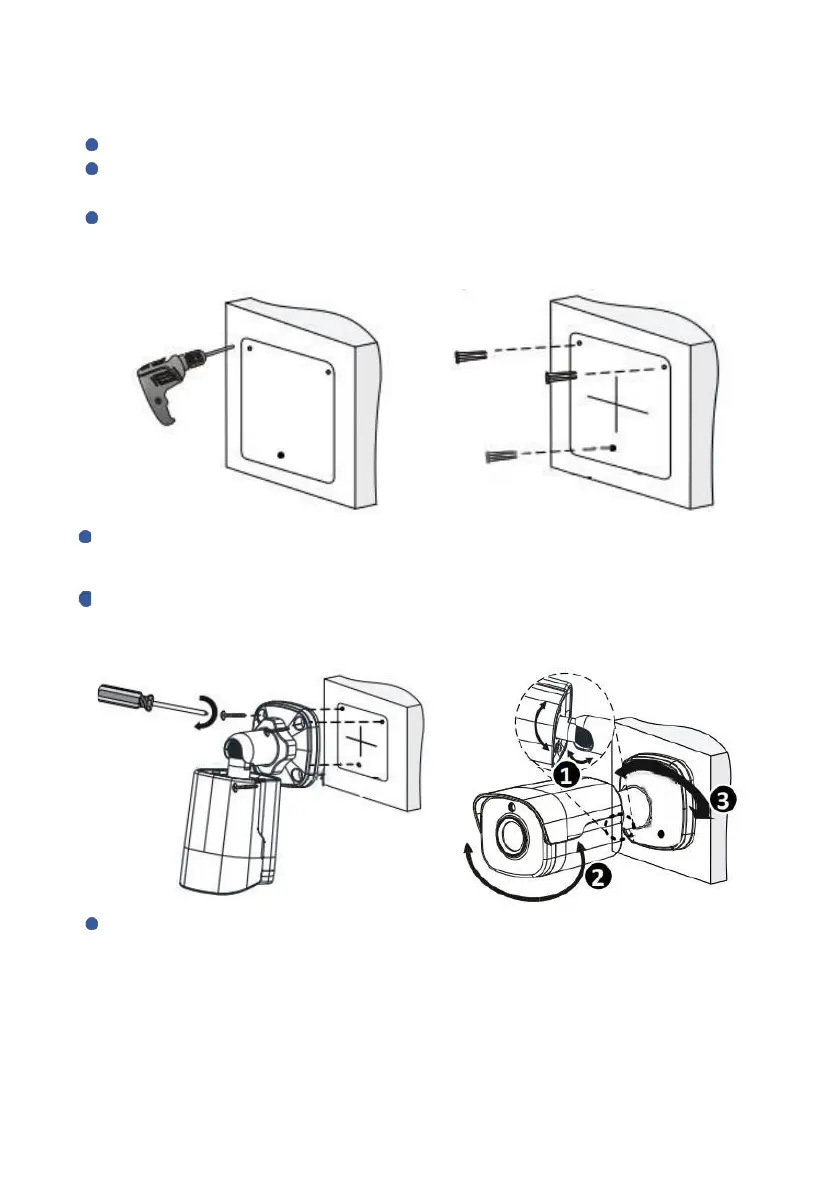
Punching positioning: put camera base on the wall, locate the positions of
the holes by pencil.
Using electric drill to punch in the marked areas, make sure every hole is deeper
than 30mm.
Knock the plastic rivets into the guide holes and ensure that they are
tightened up
Fixing IP camera: The structure of camera is integrated, please use 3 screws
provided to fix camera on the wall.
Bracket adjustment: loosen according to screws on camera base,
adjust camera’s direction, then, fasten screws.
Please install and adjust camera angle refer to following steps.



 To Next Page