ACCESS GATEWAY
Configuring the Wireless Connect Gateway 183
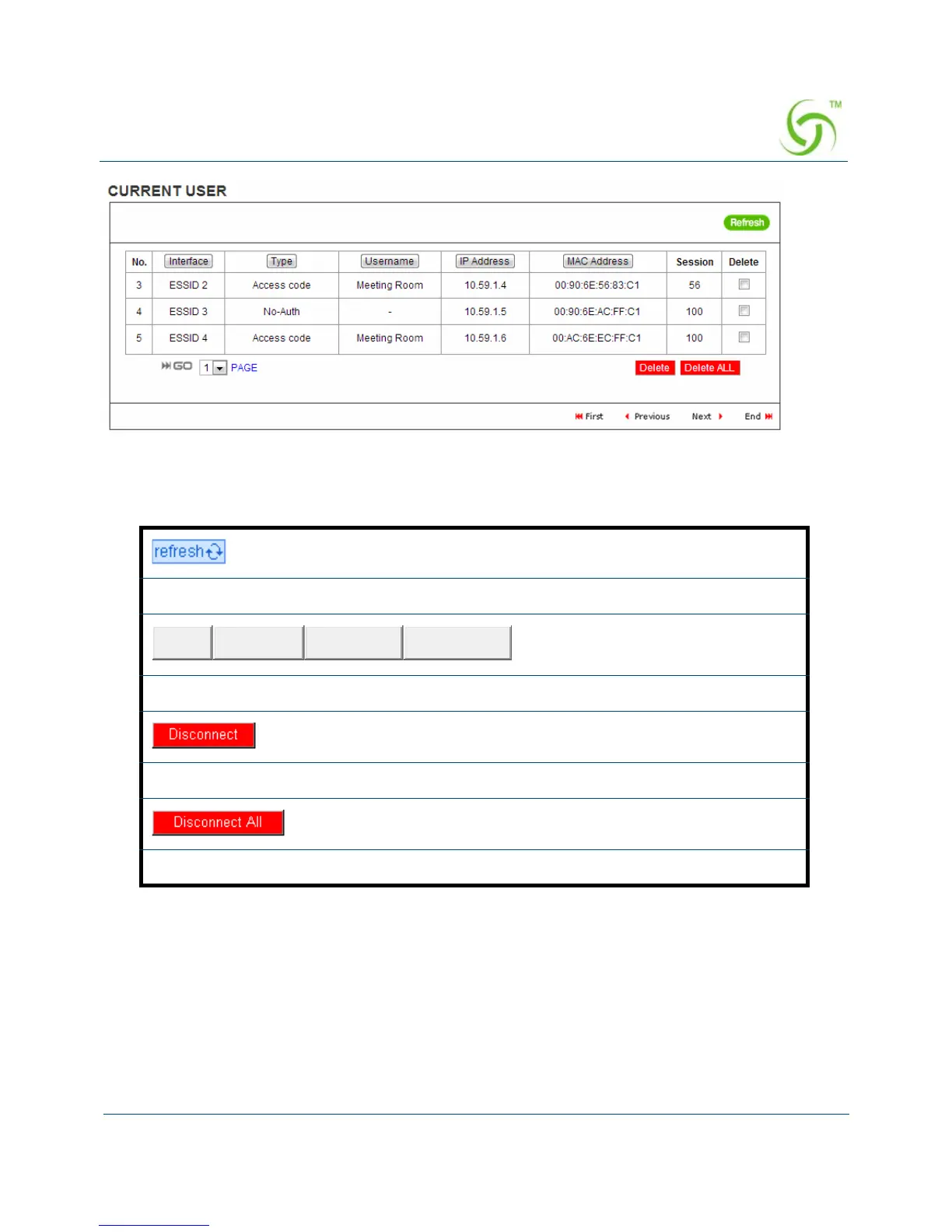
Figure 172 Current User List (Access Code)
DHCP Clients
The DHCP client table shows the current DHCP users on the LAN.
Click on refresh button to update the current user list page.
Click the column button to sort the column in ascending/descending order.
Select the check boxes and click ‘Disconnect’ to disconnect accounts.
Disconnect all accounts in current user list.


 To Next Page