ACCESS GATEWAY
14 Installation
2. Hang Wireless Connect Gateway on the wall by sliding the two screws in the mounting
brackets.
Note: If the screws are not properly anchored, the strain of the cables connected to the Wireless
Connect Gateway rear panel connectors could pull out the Wireless Connect Gateway from the
wall.
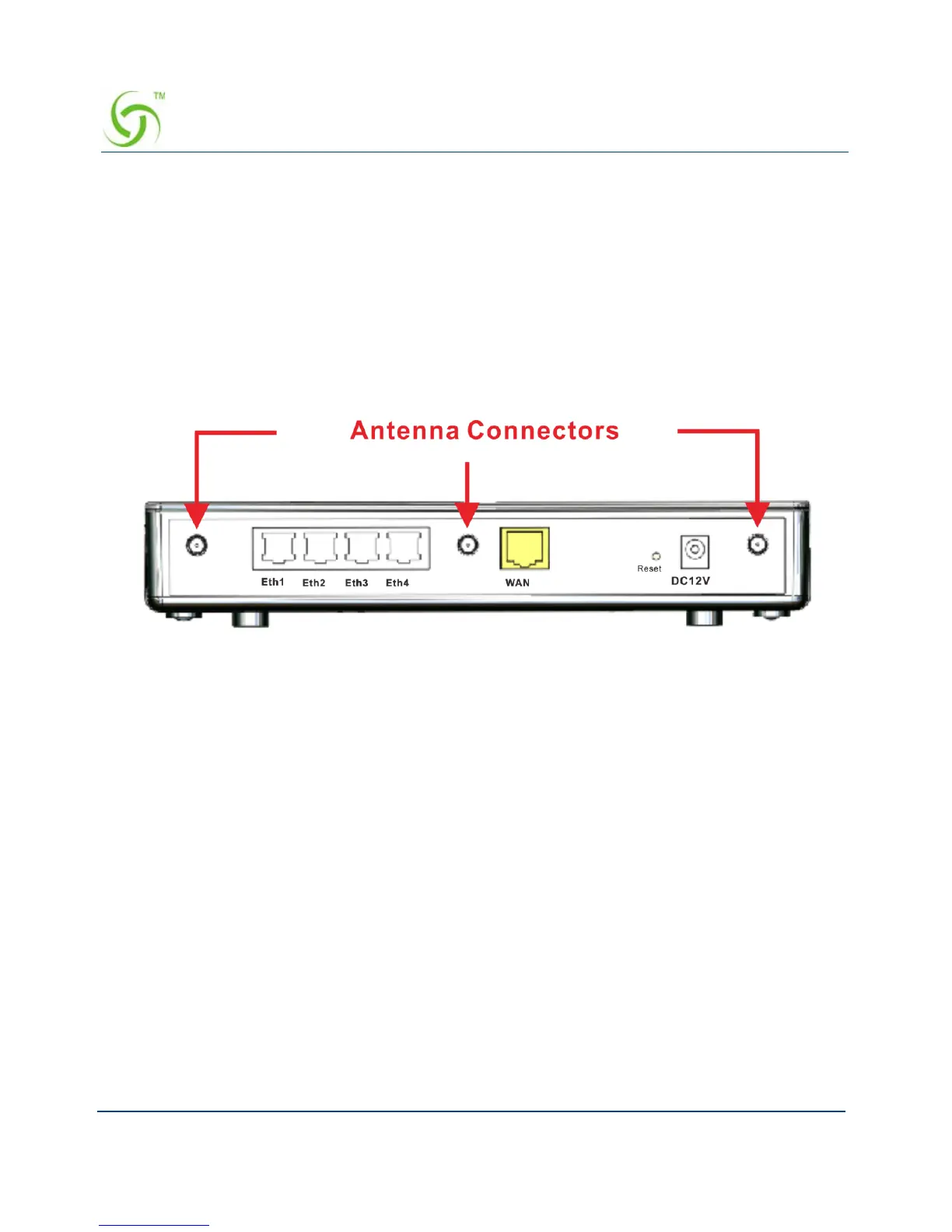
Connecting the Antennas
The Wireless Connect Gateway provides three antenna connectors on the rear of the
unit.
Figure 6 Antenna Connectors
Installation Requirements
Before installing the Wireless Connect Gateway, make sure your network meets the following
requirements.
System Requirements
The Wireless Connect Gateway requires one of the following types of software:
Windows 98 Second Edition/NT/2000/XP/Vista/7
Red Hat Linux 7.3 or later version
MAC OS X 10.2.4 or later version
Any TCP/IP-enabled systems like Mac OS and UNIX (TCP/IP protocol installed)
Web Browser Software (Microsoft I.E 5.0 or later version or Netscape Navigator 5.0
or later version)
One computer with an installed 10Mbps, 100Mbps or 10/100Mbps Ethernet card



 To Next Page