ACCESS GATEWAY
186 Configuring the Wireless Connect Gateway
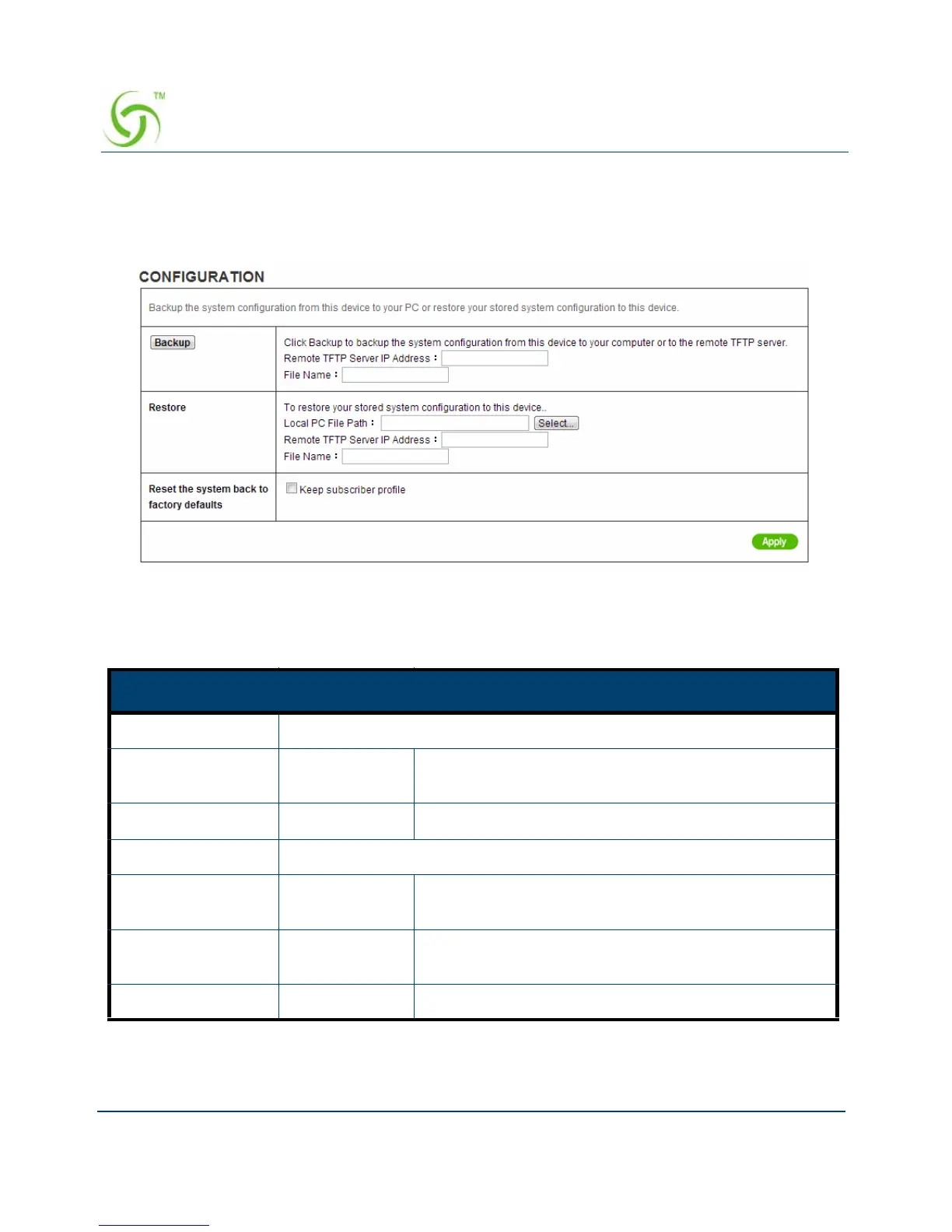
Configuration
Use the Configuration item to save, restore or reset configuration parameters of the Wireless
Connect Gateway.
Figure 178 Configuration Setting Screen
Item Default Description
Backup Click it to save the system configuration to your computer. (export.cfg)
Remote TFTP
Server IP Address
Empty Enter the IP address of TFTP Server.
File Name Empty Enter the file name in the File Name field.
Restore Click it to restore your system configuration.
Local PC File Path Empty Enter the file pathname of the system configuration
file in the Local PC File Path field.
Remote TFTP
Server IP Address
Empty Enter the IP address of TFTP Server.
File Name Empty Enter the file name in the File Name field.


 To Next Page