ACCESS GATEWAY
110 Configuring the Wireless Connect Gateway
SECURITY
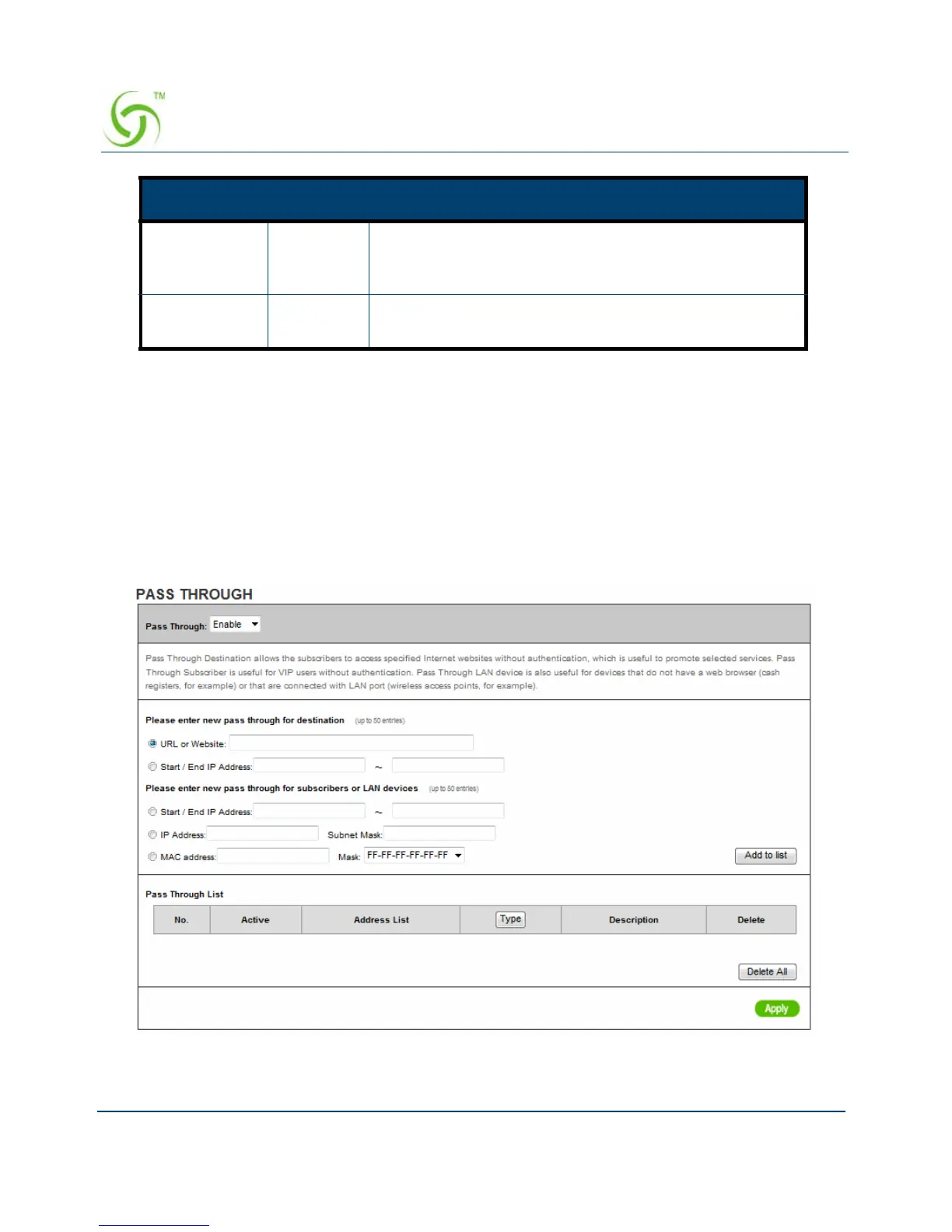
Pass Through
This function allow administrator to set some special devices pass through the Wireless
Connect Gateway system. Because some network devices might be constructed under the
Wireless Connect Gateway. However these devices needn’t be checked and authorized. The
Wireless Connect Gateway provides a pass through list and the administrator can control which
devices can be pass through with authentication.
Figure 88 Pass through Setting Screen
Privileges Read/
Write
Choose “Read”, “Write”, “Trap Recipients” and “All” for
different privileges. The default setting of the entry 2 is
“write” and others are “read”.
Status Valid/
Invalid
Chosen “Valid” or “Invalid”. The default setting of entry
1, 2 are valid and others are invalid.
Item Default Description



 To Next Page