ACCESS GATEWAY
Configuring the Wireless Connect Gateway 109
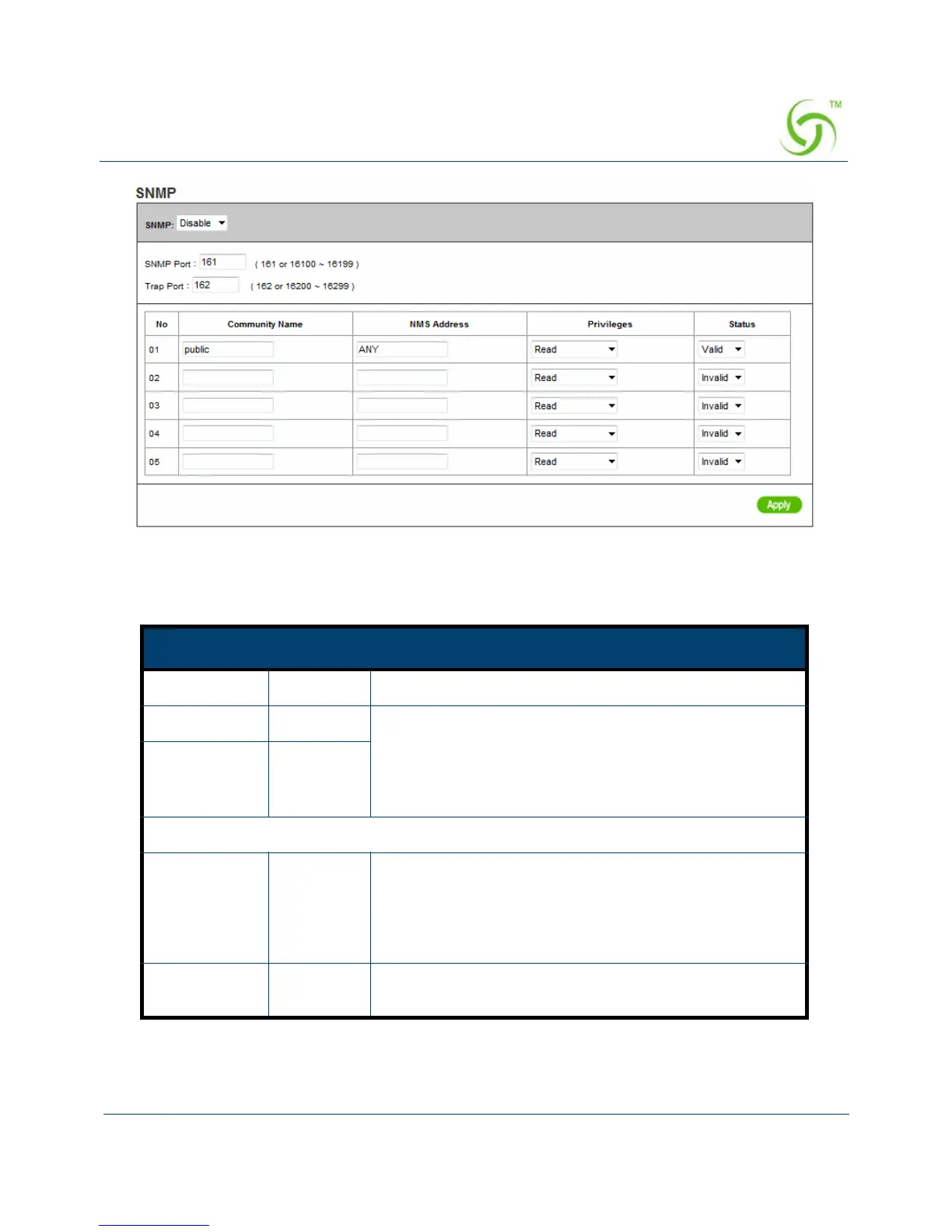
Figure 87 SNMP Setting Screen
Item Default Description
SNMP Disable Disables or enables the SNMP management.
SNMP Port 161 If the SNMP is enabled, it can specify the SNMP port
number via NAT. The allowed SNMP port numbers are
161 (default), 16100-16199 and Trap port numbers are
162 (default), 16200-16299. This Port setting is useful
for remote control via NAT network.
Trap Port 162
Configuration
Community
Name
public/
private
Every unit with SNMP enable must be configured to
recognize one or more community names up to 20
characters. The default setting for the community of
entry 1 is “public” and for the entry 2 is “private” and
others are empty.
NMS Address ANY The address of the NMS. The default settings for the
NMS Networking are “ANY”.



 To Next Page