ACCESS GATEWAY
Configuring the Wireless Connect Gateway 55
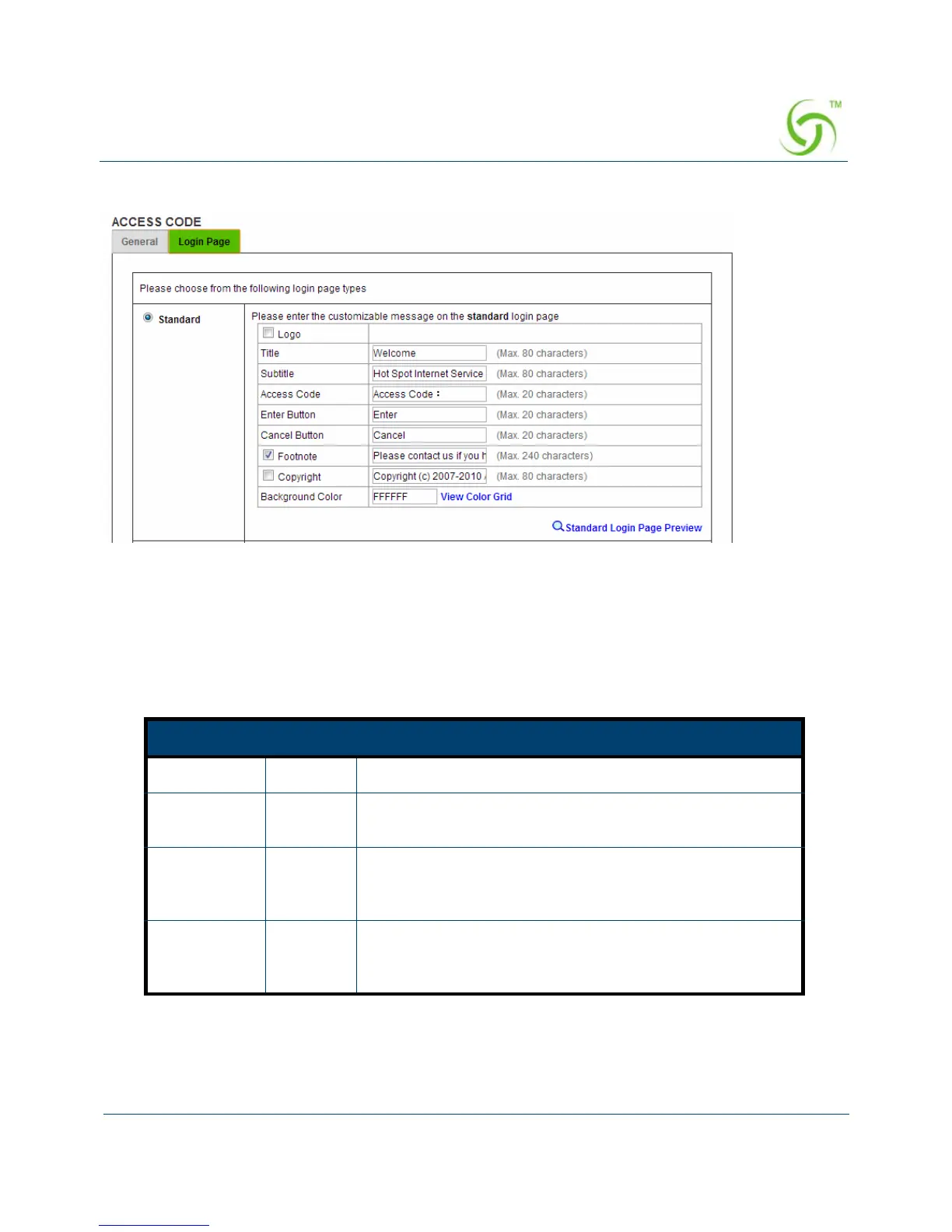
Standard
Figure 41 Access Code Standard Login Page Customization Setting Screen
For some service providers, they may hope to have a customized subscribers’ login page for
the users. This function helps them to realize the ideal page presentation. The page elements
include login page title, background color, subtitle etc.
Item Default Description
Logo Disable Select the check box to display service provider’s logo.
Title Welcom
e
Enter the title name of subscriber login page. The
maximum allowed characters length is 80.
Subtitle Hot Spot
Internet
Service
Enter the subtitle name of subscriber’s login page. The
maximum allowed characters length is 80.
Footnote Disable Allow the administrator to input the footnote such as
“Please contact to our Customer Service Center, EXT
141”. The maximum characters of the footnote is 240.



 To Next Page