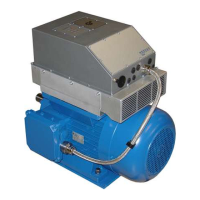
NORDAC PRO (SK 500P) – Users Manual for Frequency Inverters
56 BU 0600 en-2319
3.2 SK TU5-CTR
The SK TU5-
CTR ControlBox is used for commissioning, configuring and
controlling the frequency inverter. It is moun
ted directly on the slot for
technology units or on the SK CU5 module. Communication with the inverter
and the power supply of the module are provided by a contact rail. The module
cannot be used independently from the inverter.
Display is by means of a five digit seven segment LCD display. Control is via six
control keys.
3.2.1 Control keys
Start key Switches on the FI The frequency
inverter is now enabled with the set jog
frequency (P113). A pre-set minimum
frequency (P104) is at least provided.
Parameter "Interface" P509 and P510
must = 0.
Disables parameterisation mode.
Switches off the FI. The output
frequency is reduced to the absolute
minimum frequency (P505) and the
frequency inverter shuts down.
Enables parameterisation mode.
Selection key Increases the frequency. Both selection
keys pressed simultaneously = Quick
stop.
Increases the parameter value.
Selection key Reduces the frequency Both selection
keys pressed simultaneously = Quick
stop.
Reduces the parameter value.
Saves the set frequency value.
Saves the changed parameter value or
switches between parameter number and
parameter value.
Changes the direction of rotation.
If a changed value is not to be saved
saved, the parameter mode can be exited
by pressing the Esc key.



 To Next Page
 Loading...