4 Installing the component parts and units
30
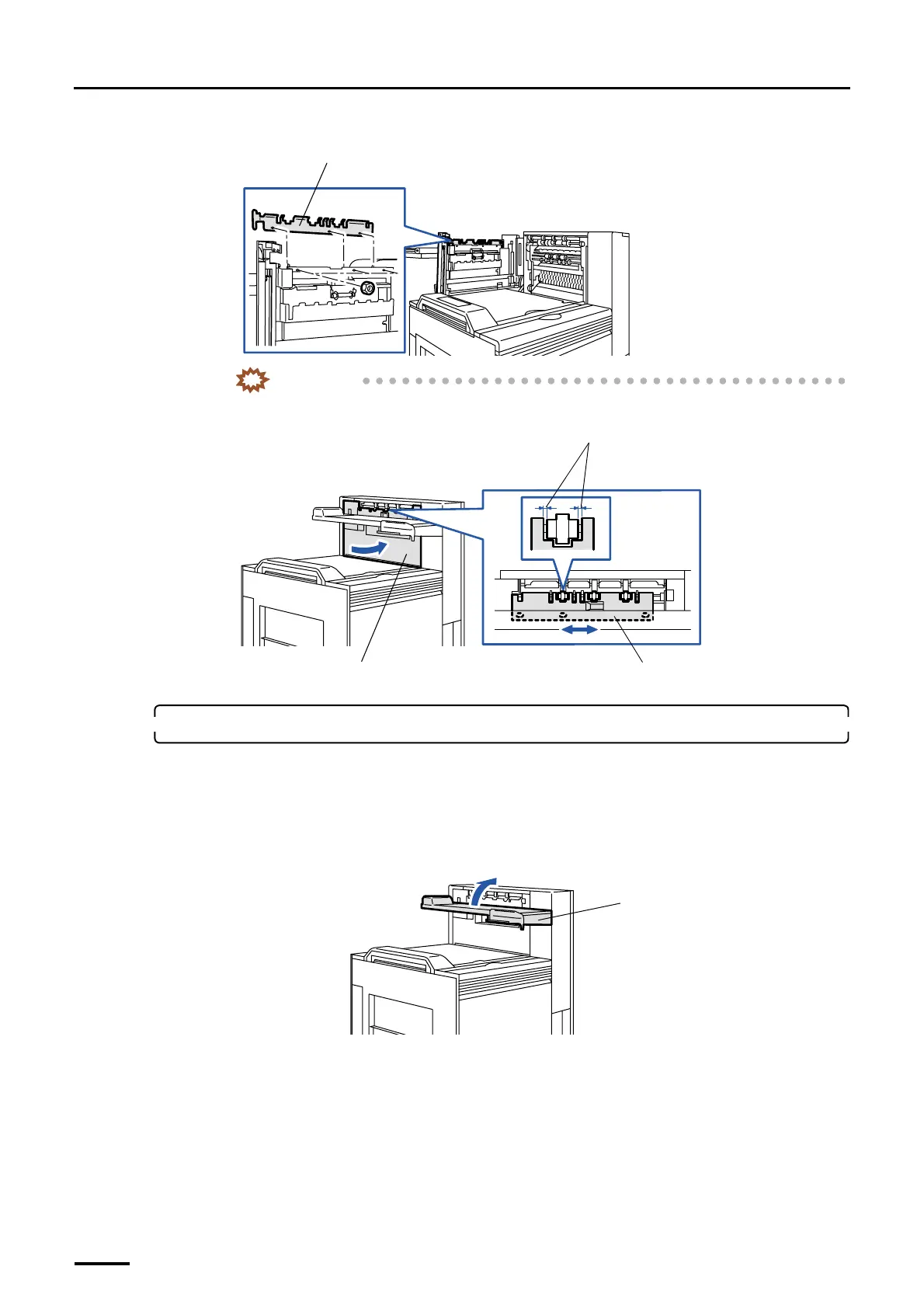
(3) Attach the print conveyor guide. (three nuts)
IMPORTANT
• Adjust the conveyor guide attaching position so that the guide may not touch the rollers with
the dryer door closed.
4. Attach the print receiving tray (large).
For the machine with the optional print accumulation tray, you can attach either of print accumulation tray or print
receiving tray (large).
• For the print accumulation tray, attach it after you complete the other works. For details about how to attach the
print accumulation tray, refer to Print Accumulation tray Installation Manual.
(1) Raise the print conveyor unit.
Conveyor guide
G068895
Dryer door
Conveyor guide
Move the conveyor guide to the left or right so as
not to come in contact with the rollers.
G068997
Print conveyor unit
G069791
Distributed by: minilablaser.com



 To Next Page