5 Installing the machine and adjusting the level
59
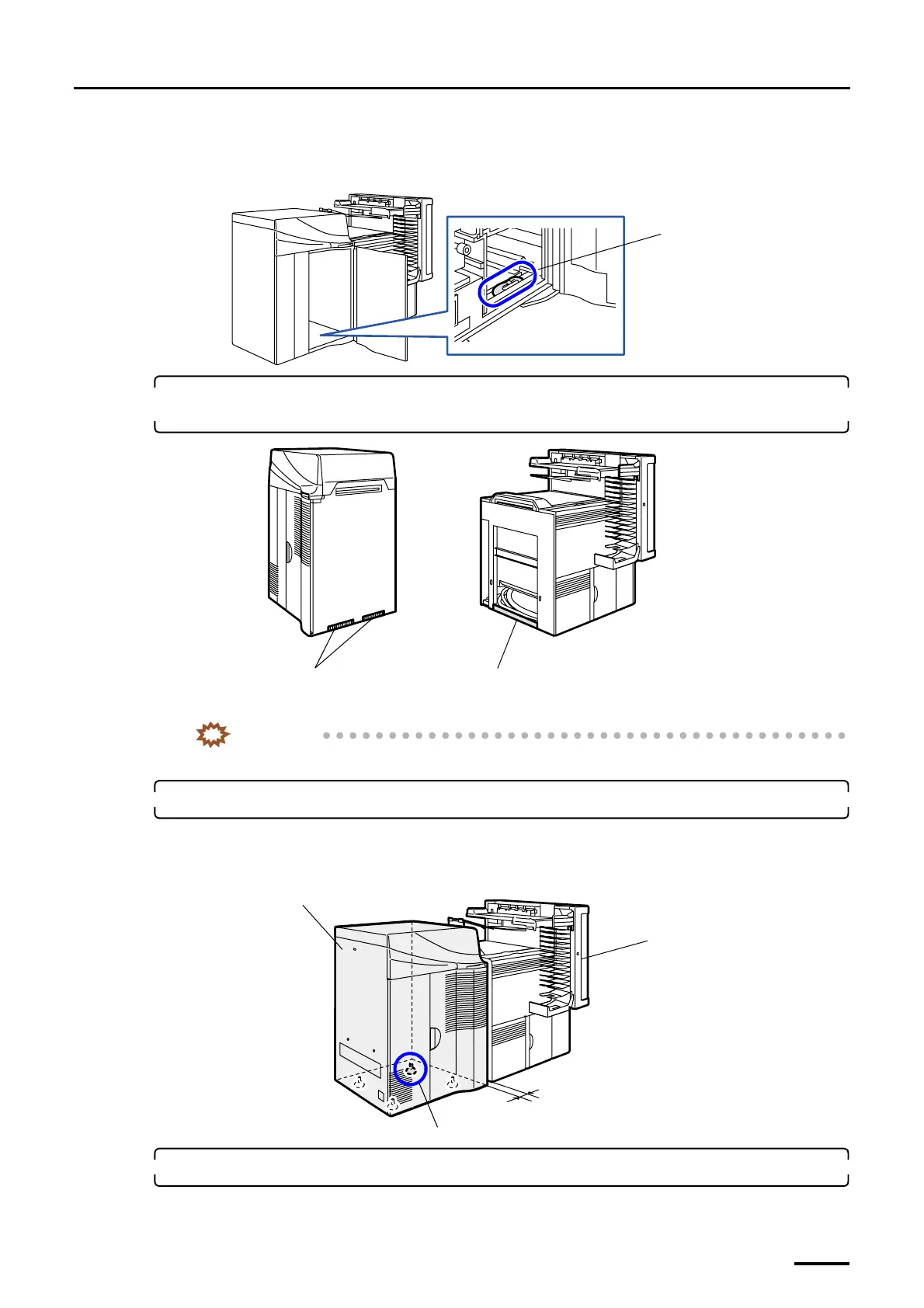
(2) Take one screw for connection, two hex. head bolts and two washers out of the bag that contained the
magazine deck unit lock levers.
You can find the bag containing the screw, bolts and washers at the position shown in the figure below.
3. Wipe off dirt on the copper plate for ground the printer and that for ground the paper processor
using a rag.
IMPORTANT
• If the ground part is not clean, the ground resistance may be strong due to poor contact.
4. Place the printer next to the paper processor.
Place the printer at the position 3 to 5 cm away from the the paper processor.
If there is not enough space at the back of printer, lower the jack bolt of part A to the castor movable position in
advance.
5. Remove the covers of the paper processor.
(1) Open processor doors 1 and 2.
Bag containing the screw, bolts
and washers
G072106
Copper plates for ground
Area to be contacted with copper plates for
ground
G068960
3 cm to 5 cm
Part A
Printer
Paper Processor
G070270
Distributed by: minilablaser.com



 To Next Page