CRC200R USER GUIDE ISSUE 02
4-1
4 PROGRAMMING THE CRC200R
Once the CRC200R has been installed and powered up, the next stage is the programming of the
operating parameters to match the requirements of the installation.
To quickly programme a basic configuration for use with ‘Clock & Data’ cards, simply follow the
Quick Set-up Guide supplied with the CRC200R.
This section explains how to programme all of the CRC200R settings according to application and
features used. Section 5 is a reference section that provides step-by-step detail of each procedure.
4.1 Programming Overview
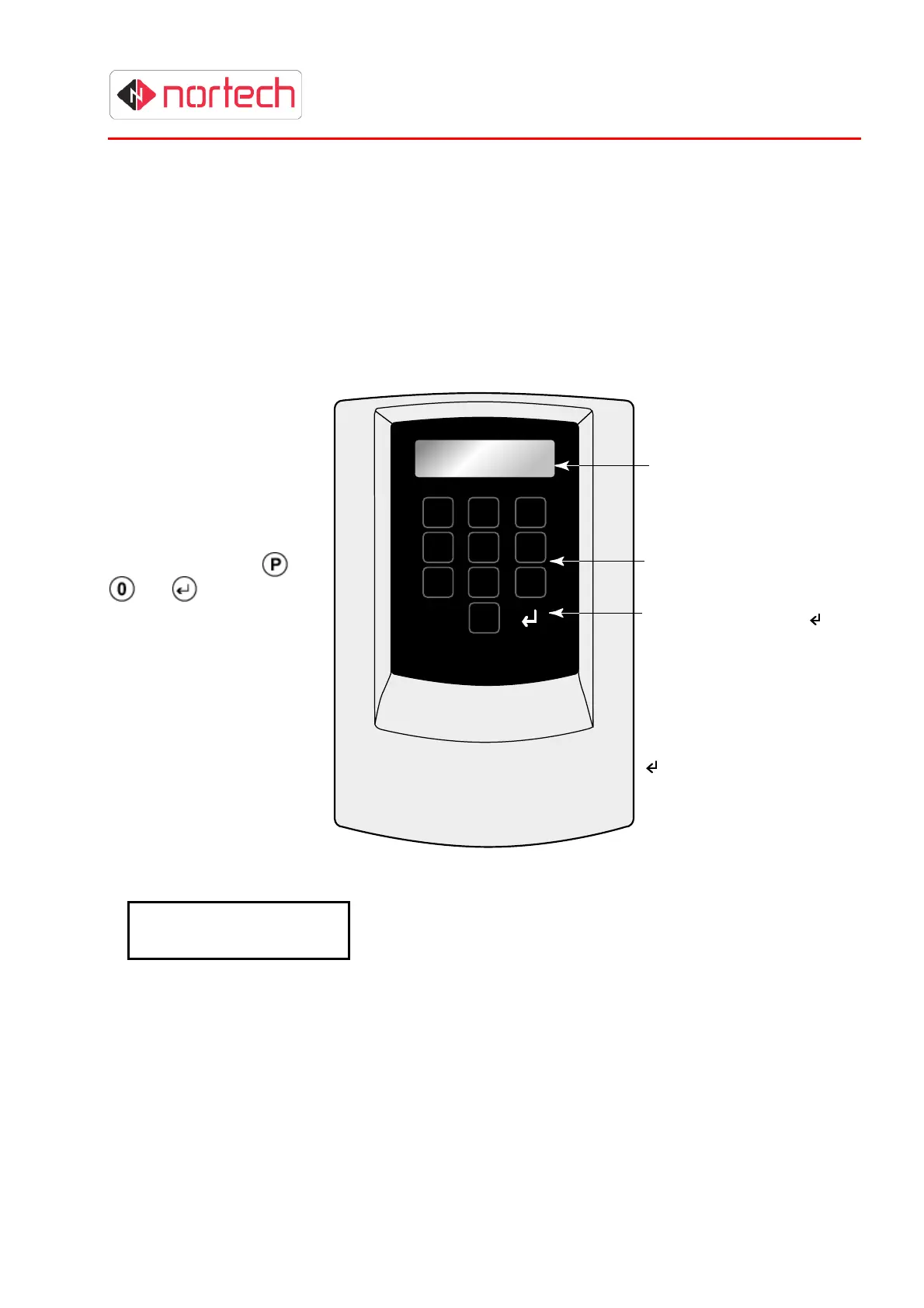
The CRC200R is
programmed using the
12-digit keypad and 2-line
LCD screen.
The system is arranged as
a hierarchical menu
structure that can be
navigated using the
,
and (enter) keys.
The top line of the screen
displays the current menu
item and the bottom line
displays the parameters.
When you first switch the unit on it will display the product code and the version number:
C R C 2 0 0 R V x . x x
N o d e : N
Key:
CRC200R = Product Code
Vx.xx = version number
Node: N - indicates the node identity when the CRC200R is
part of a network. For stand-alone operation, this can be
ignored.
Note: The Node information is only displayed on initial power-up.
This display is referred to as the ‘opening display’ and is the starting point for each procedure
described in this guide. The screen will revert back to the opening display after 30 seconds of
inactivity (30 seconds since last key was pressed).
1 2 3
4 5 6
7 8 9
P 0
2 Line x
16 Character
LCD Display
Numeric Keypad
Keys P, 0 and enter ( )
are used to navigate the
menus and enter data:
P - enter/leave
programming mode
0 - step through menus
and values
- select/enter



 To Next Page