Using your IP Phone 1220
30
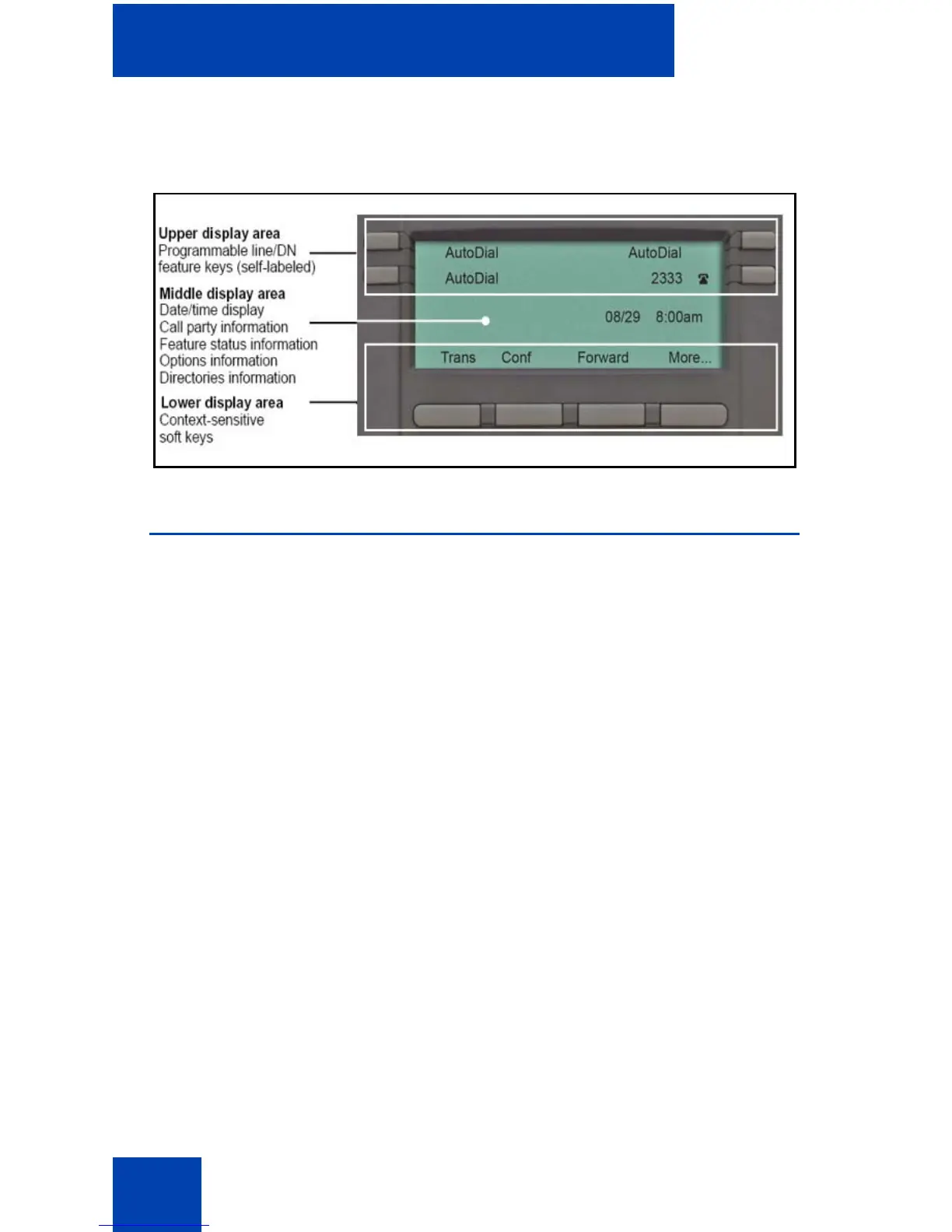
Figure 3 on page 30 shows the IP Phone 1220 LCD screen.
Figure 3: IP Phone 1220 display
Call features and Flexible Feature Codes
Some features are not available on all telephones. Call features and
Flexible Feature Codes (FFCs) must be assigned to your telephone and
supported by system software. Contact your system administrator to
configure these features and codes on your telephone.
Use Table 11 on page 151 to record the FFCs that your system
administrator assigns to your phone.



 To Next Page