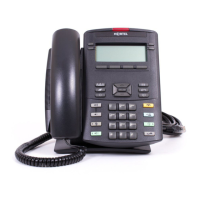
Operating your IP Phone 1220
95
Editing a Predial number
Use the following procedure to edit a Predial number.
Using AutoDial
Use the AutoDial feature to display, store, and automatically dial phone
numbers.
Using AutoDial to make a call
Use the following procedure to make a call using the Autodial feature.
1. Use the dialpad to enter the number.
2. To erase all numbers, press the Clear
soft key.
Reenter the numbers to dial.
or
To change one number at a time, press
the Delete soft key to backspace. Re-
enter the number.
3. Press a line key to dial the number.
1. Lift the handset.
2. Press an AutoDial key in the upper
display area to dial the number
associated with that key.
or
NoClear
2493
AutoDial


 To Next Page