Welcome
9
Welcome
Your Nortel IP Phone 1220 brings voice and data to your desktop.
IP Phone 1220 can directly connect to a Local Area Network (LAN)
through an Ethernet connection.
This guide contains the following topics:
• “Using your IP Phone 1220” on page 23
• “Installing your IP Phone 1220” on page 31
• “Customizing your IP Phone 1220—basic features” on page 37
• “Customizing your IP Phone 1220—advanced features” on page 62
• “Operating your IP Phone 1220” on page 82
• “Troubleshooting Your IP Phone 1220” on page 148
• “IP Phone 1200 Expansion Module” on page 153
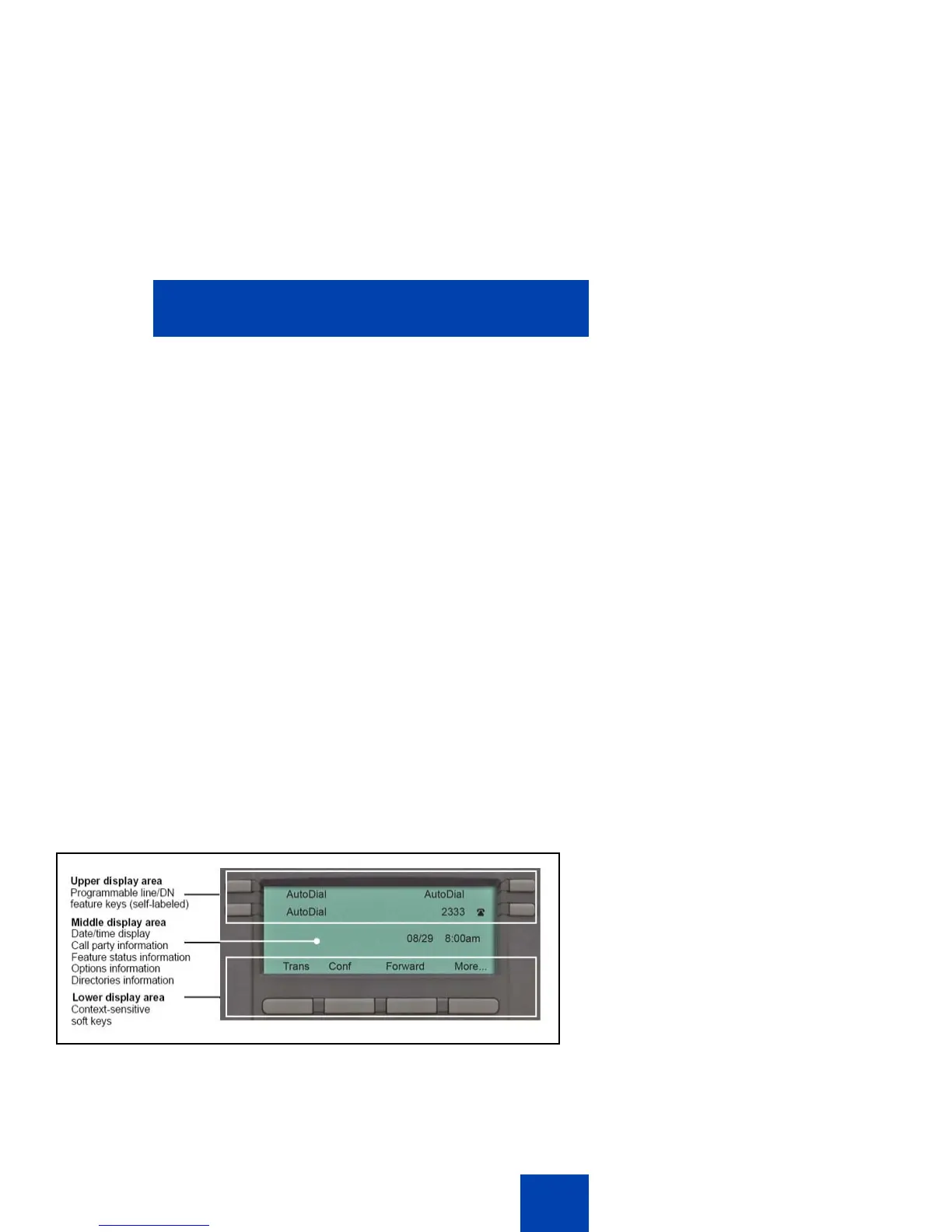
In this guide, self-labeled line or programmable feature key labels appear
beside the keys, and context-sensitive soft key labels appear directly
above the keys.
Figure 1 on page 9 shows the IP Phone 1220 key labels.
Figure 1: Programmable feature keys and context-sensitive
soft keys



 To Next Page