Installing your IP Phone 1220
32
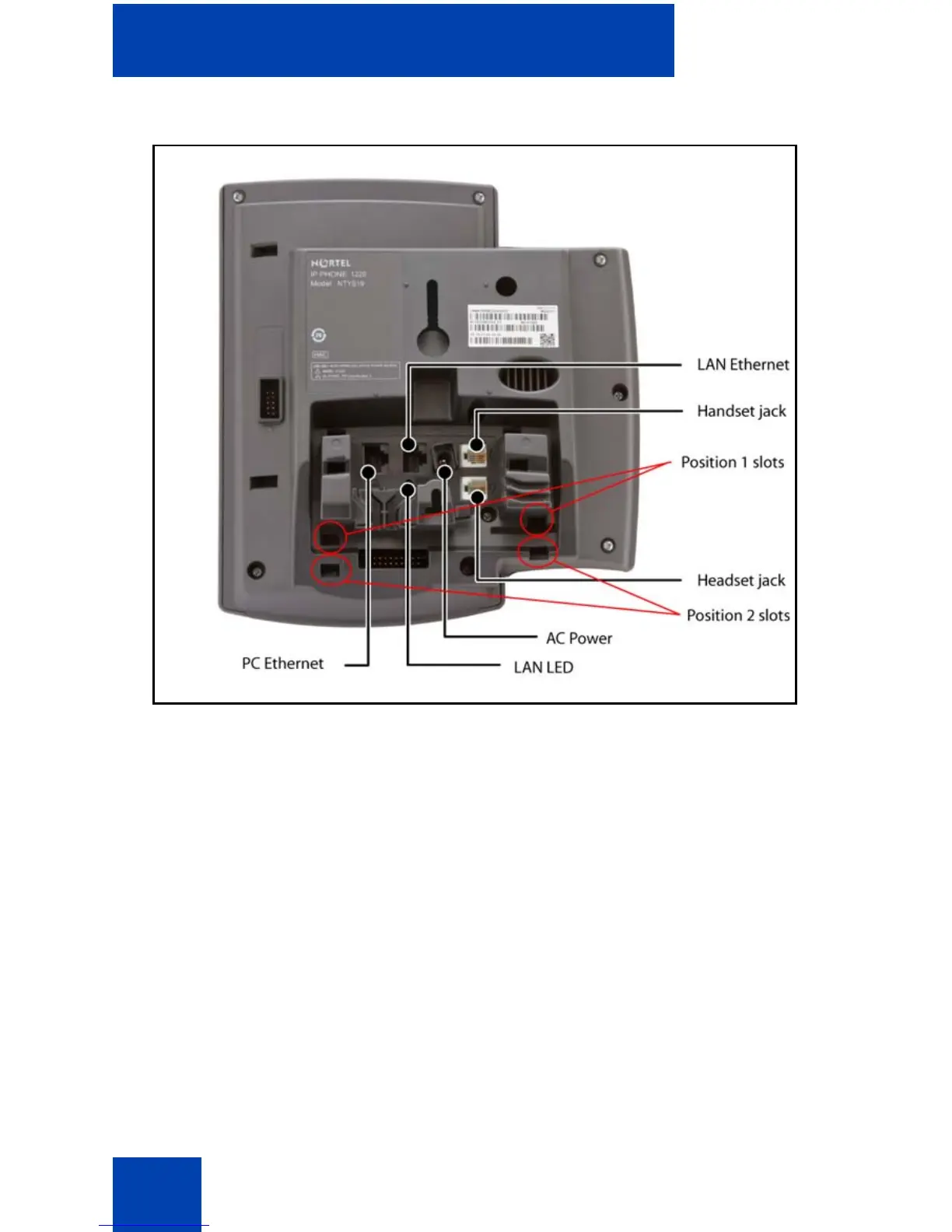
Figure 4: Connections on the IP Phone 1220
Perform the following steps to connect the components of the phone and
to install the phone.
• “Attaching the foot stand (optional)” on page 33
• “Connecting the handset” on page 33
• “Connecting the headset (optional)” on page 33
• “Connecting the power (optional)” on page 34
• “Connecting the LAN Ethernet cable” on page 35
• “Connecting the PC Ethernet cable” on page 35
• “Wall-mounting the IP Phone (optional)” on page 36



 To Next Page