42
n Stir Fry Function
This program allows you to brown food before cooking under pressure or
any other function.
Function Default Time Temperature Timer
Stir Fry 30 min
Less 99°C 0:01-0:30,
1 minute
increments
Normal 150°C
More 160°C
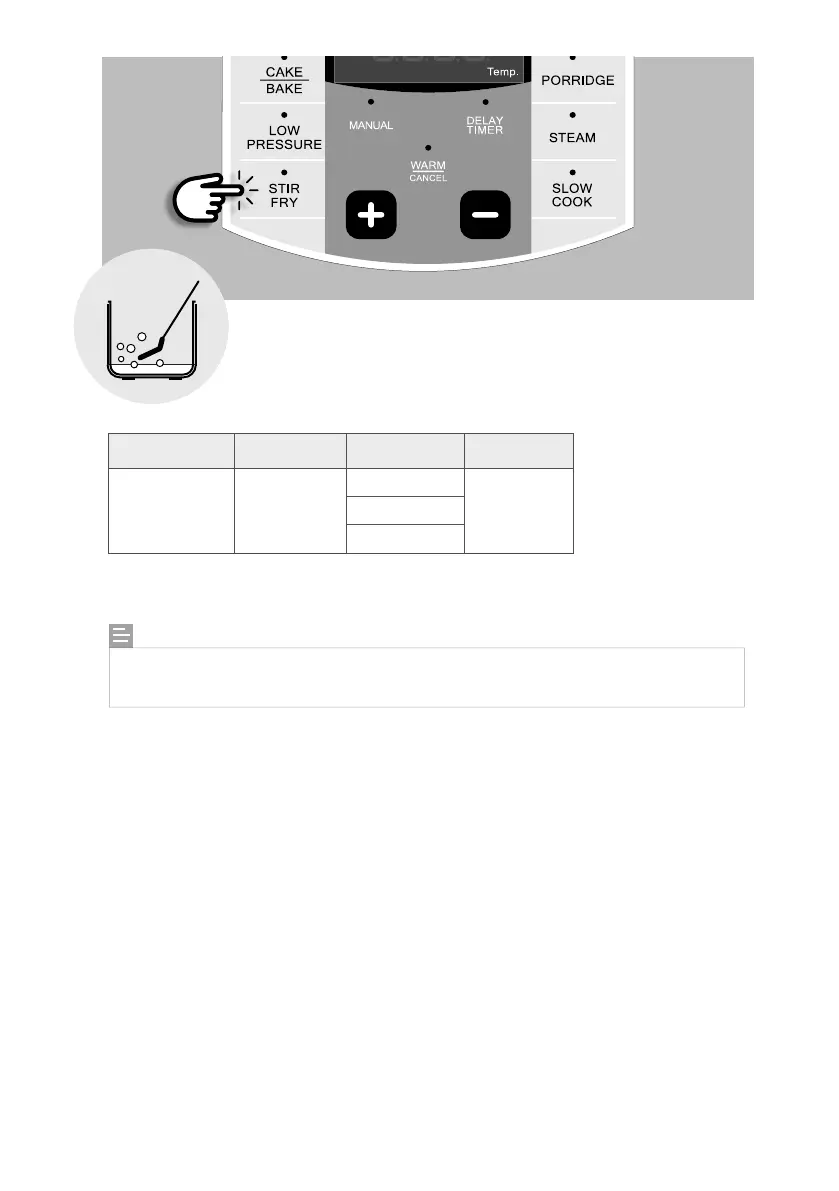
1. Place the inner pot into the NEMPC.
2. Add the appropriate amount of oil into the inner pot as indicated in your recipe.
3. Press the [STIR FRY] button repeatedly to select the desired temperature. Adjust the time to
your cooking time by pressing the [ + ] or [ – ] buttons. Wait for 4 seconds and the unit will
start to heat up automatically. The top display window will show “ON”.
4. Once the temperature has been reached, the unit will start to count down your cooking time
and the bottom display will show “HOT”.
5. When the time is up, the unit will beep to let you know that the program has ended.
NOTE:
When using STIR FRY function, do not place the lid on the cooker. DO NOT leave the
cooker unattended while browning or stir frying foods.


 To Next Page