44
n Slow Cook Function
Just like Slow Cooker, this program allows you to prepare slow cooker
classics such as pot roasts, soups and stews up to 20 hours to retain its
flavour, nutrients, and tenderness. Load your ingredients in the morning
and dinner will be ready in the evening.
Function Default Time Temperature Timer
Slow Cook 4 hours
Less 77°C 0:30-20:00,
30 minutes
increments
Normal 82°C
More 88°C
1. Place the inner pot into the NEMPC.
2. Place all ingredients as needed into the inner pot.
3. Place the lid on the cooker, align the self-locking pin with the unlock symbol and turn the lid
counterclockwise until it locks into place.
4. Turn the pressure regulator knob to “STEAM” when using the SLOW COOK function.
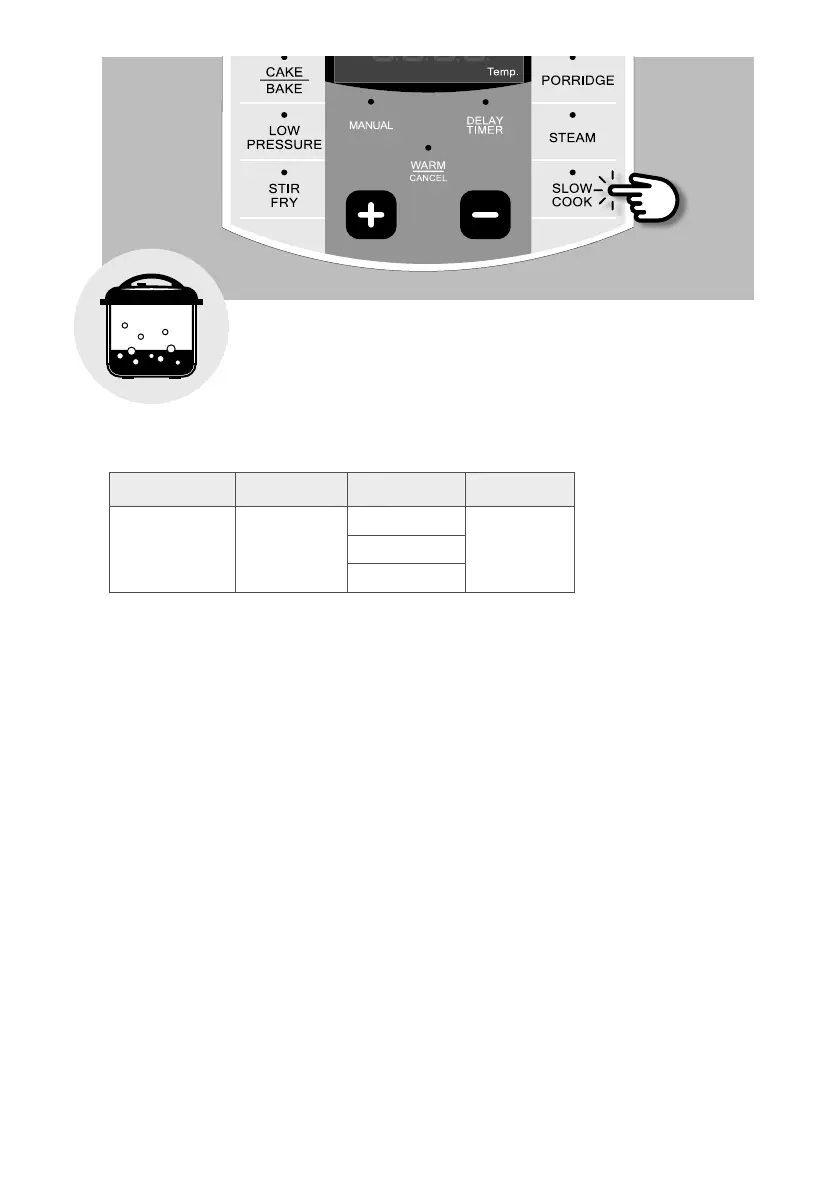
5. Press [SLOW COOK] button repeatedly to select the desired temperature for slow cooking.
Press [ + ] or [ – ] buttons to adjust the cooking time. Wait for 4 seconds and the unit will start
automatically. The top display window will show “ON”.
6. Once the temperature has been reached, the unit will start to count down your cooking time.
7. When the time is up, the unit will beep to let you know that the cooking process has ended.


 To Next Page