Operating & Maintaining the Connex500/350 3-D Printer
7–14
DOC-13000 Rev. E
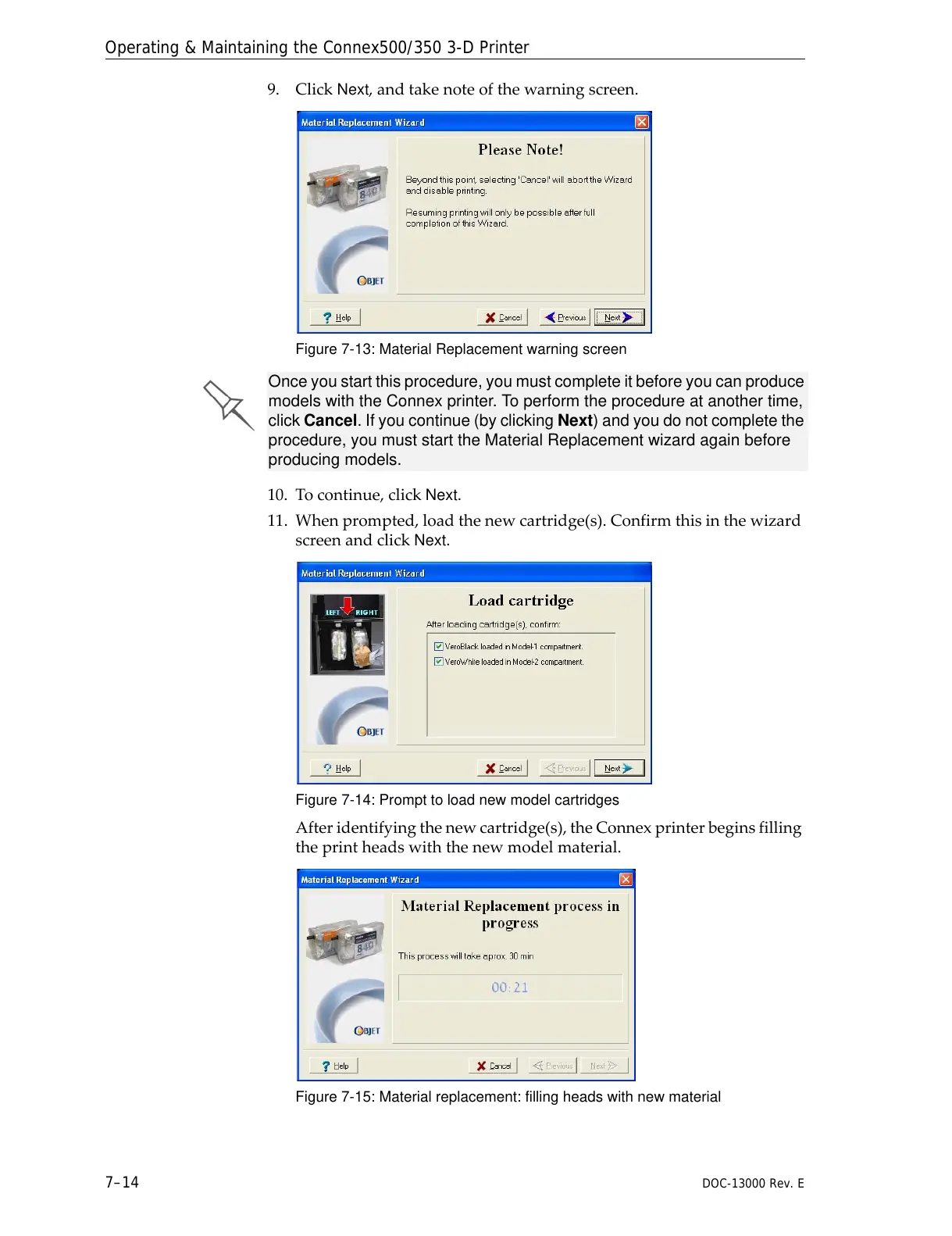
9. ClickNext,andtakenoteofthewarningscreen.
Figure 7-13: Material Replacement warning screen
10. Tocontinue,clickNext.
11. Whenprompted,loadthenewcartridge(s).Confirmthisinthewizard
screenandclick
Next.
Figure 7-14: Prompt to load new model cartridges
Afteridentifyingthenewcartridge(s),theConnexprinterbeginsfilling
theprintheadswiththenewmodelmaterial.
Figure 7-15: Material replacement: filling heads with new material
Once you start this procedure, you must complete it before you can produce
models with the Connex printer. To perform the procedure at another time,
click Cancel. If you continue (by clicking Next) and you do not complete the
procedure, you must start the Material Replacement wizard again before
producing models.



 To Next Page