Operating & Maintaining the Connex500/350 3-D Printer
7–28
DOC-13000 Rev. E
7. Returntherollerwastecollectortotheprintblockandscrewonthe
covering(seefigure 7‐32onpage 7‐27).
8. Loosenthescrewssecuringthesuctiontube.
Figure 7-35: Suction tube correctly positioned
9. Loweritsothattheholeinthepanelbehindthesuctiontubeisvisible,
andtightenthescrewstosecurethesuctiontube.
10. Attachtheright‐UV‐lampassemblytotheprintblockandreconnect
theUVpowerandfancables.
Replacing the
Roller Scraper
(Knife)
Youshouldreplacetherollerscraperblade:
• after1,000hoursofprinting.
• ifitdoesnoteffectivelykeeptherollerclean.
To replace the roller scraper:
1. Prepare—
• anewrollerscraper(knife)(Kit‐01026‐S)
• aPhillips1x75mmscrewdriver
• M2.5andM2Allenkeys
2. RemovetherightUVlampandtherollerwastecollectorcovering(see
steps3to6onpage 7‐26.)
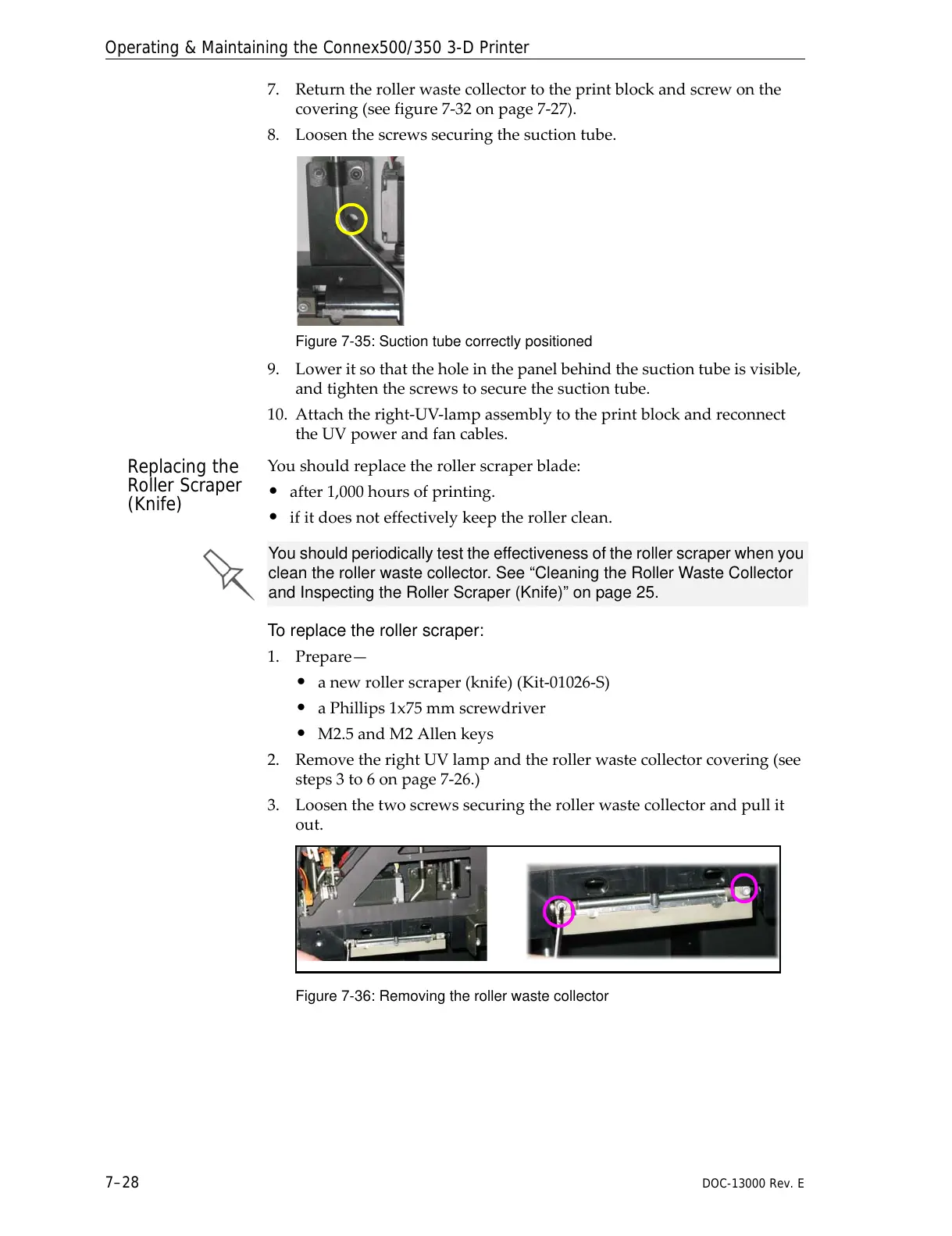
3. Loosenthetwoscrewssecuringtherollerwastecollector andpullit
out.
Figure 7-36: Removing the roller waste collector
You should periodically test the effectiveness of the roller scraper when you
clean the roller waste collector. See “Cleaning the Roller Waste Collector
and Inspecting the Roller Scraper (Knife)” on page 25.



 To Next Page