Operating & Maintaining the Connex500/350 3-D Printer
7–62
DOC-13000 Rev. E
Replacing the
Waste
Container
Thewastecontainercontainspartiallycuredpolymericmaterialproduced
duringnormaloperationandmaintenanceoftheConnexprinter.Forsafety
andenvironmentalreasons,thismaterialiskeptinaspecialleak‐proof,
disposablecontainer.
Thecontainerhasacapacityof10kilogramsofwastematerial—usually
enoughforseveralmonthsofprinteruse.Theprinterso
ftwaredisplaysa
warningmessagewhenthereis9kilogramsofmaterialinthecontainer,
andstopstheprinterwhenthenetweightreaches9.5kilograms.Above9
kilograms,thesoftwaredoesnotallowyoutostartaprintjob(oraprinting
activity)untilyoureplacethewa
stecontainer.Youcanmonitortheweight
ofthewastecontainerintheMaintenancescreenoftheprinterinterface.You
canalsovisuallyinspectthelevelofwasteinthecontainer.(Toaccessit,see
page 7‐63.)
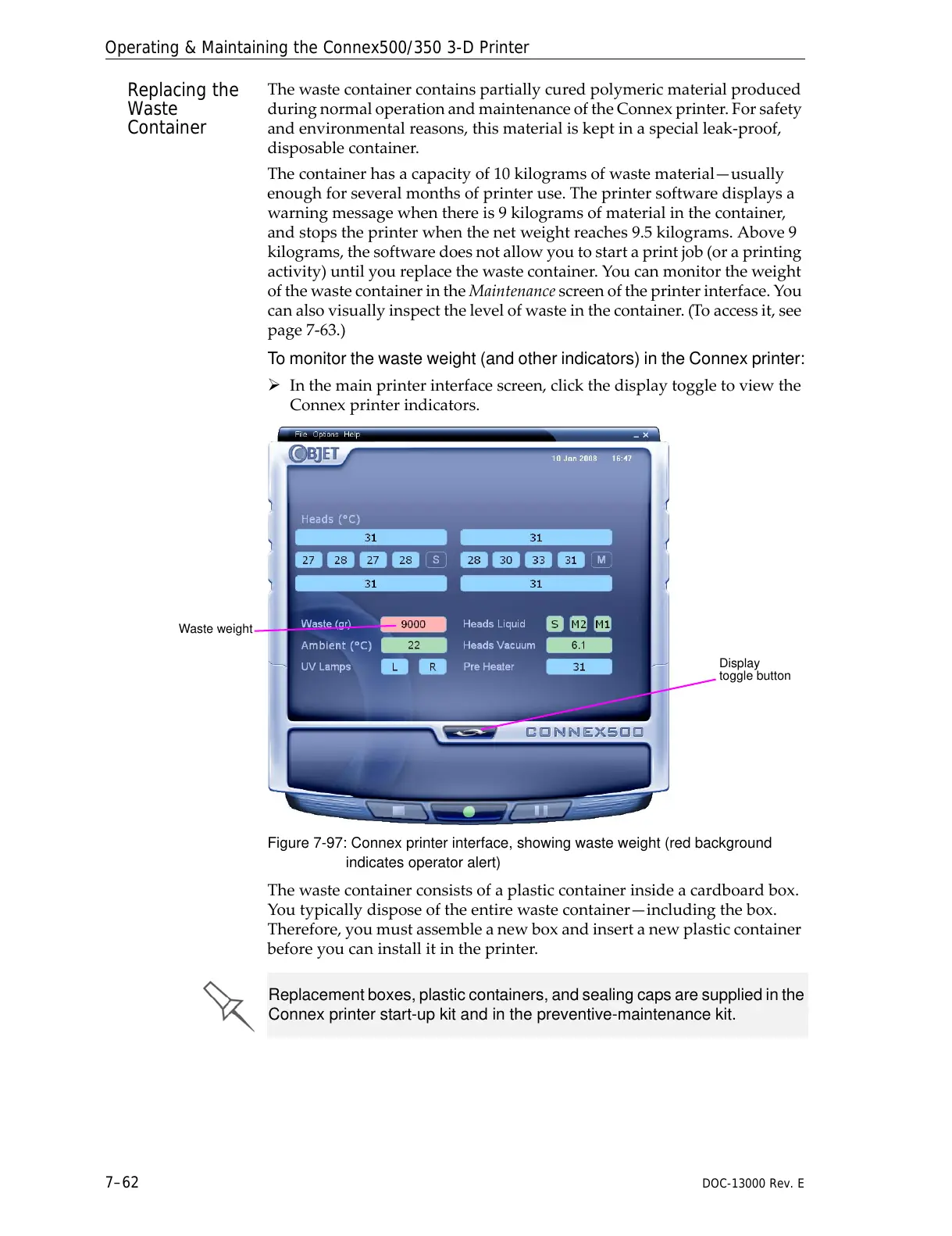
To monitor the waste weight (and other indicators) in the Connex printer:
¾
Inthemainprinterinterfacescreen,clickthedisplaytoggletoviewthe
Connexprinterindicators.
Figure 7-97: Connex printer interface, showing waste weight (red background
indicates operator alert)
Thewastecontainerconsistsofaplasticcontainerinsideacardboardbox.
Youtypicallydisposeoftheentirewastecontainer—includingthebox.
Therefore,youmustassembleanewboxandinsertanewplasticcontainer
beforeyoucaninstallitintheprinter.



 To Next Page