DOC-13000 Rev. E 7–63
Connex500/350 User Guide
To prepare a new waste container:
1. Assemblethecardboardbox,makingsuretopunchouttheperforated
sections.
2. Placeanewplasticcontainerintothebox.
Note: Do not close the box until you connect the waste drain tube from the
printer (see below).
To replace the waste container:
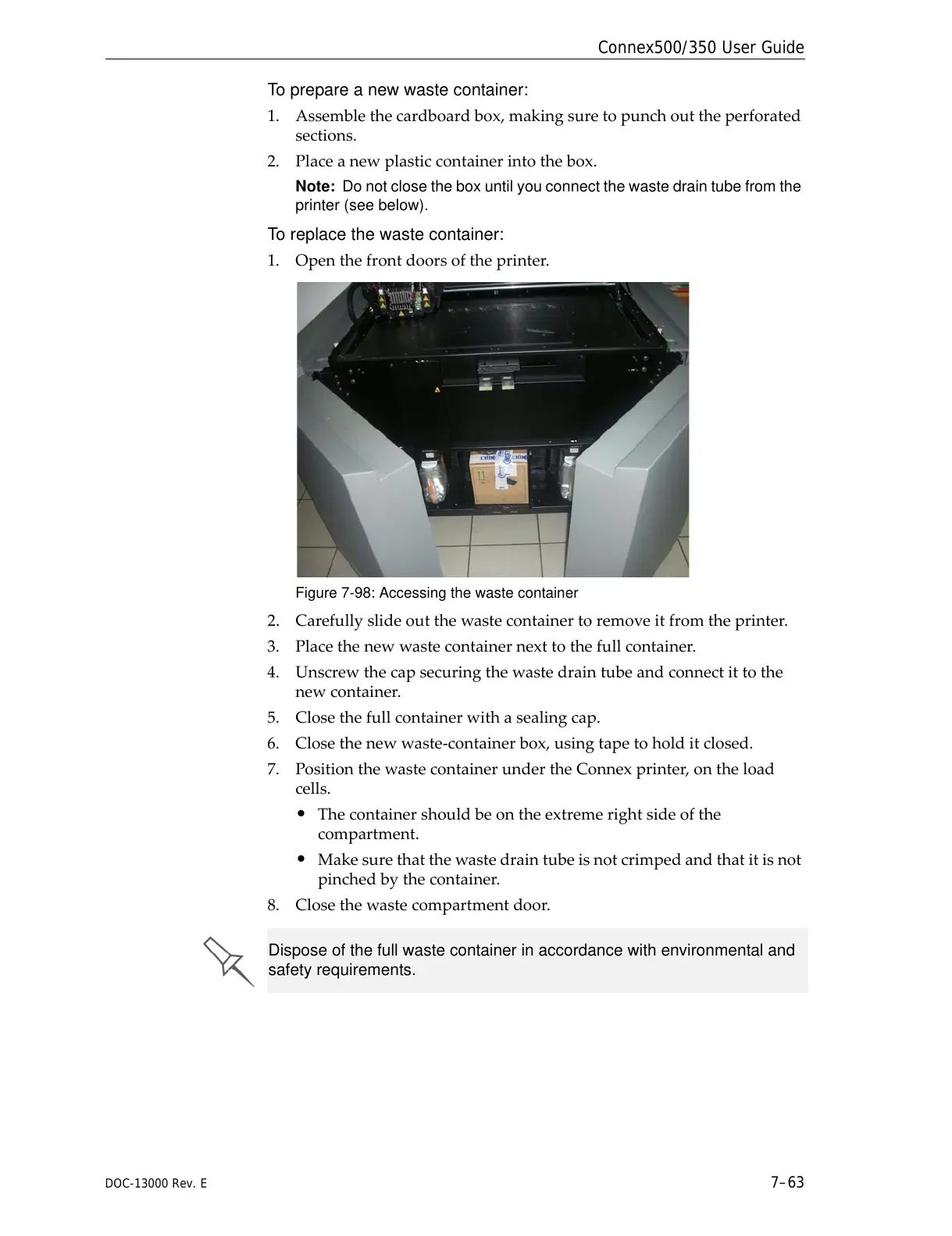
1. Openthefrontdoorsoftheprinter.
Figure 7-98: Accessing the waste container
2. Carefullyslideoutthewastecontainertoremoveitfromtheprinter.
3. Placethenewwastecontainernexttothefullcontainer.
4. Unscrewthecapsecuringthewastedraintubeandconnectittothe
newcontainer.
5. Closethefullcontainerwithasealingcap.
6. Closethenewwaste‐containerbox,usingtapetoholditclo
sed.
7. PositionthewastecontainerundertheConnexprinter,ontheload
cells.
• Thecontainershouldbeontheextremerightsideofthe
compartment.
• Makesurethatthewastedraintubeisnotcrimpedandthatitisnot
pinchedbythecontainer.
8. Closethewastecompartmentdoor.
Dispose of the full waste container in accordance with environmental and
safety requirements.



 To Next Page