DOC-13000 Rev. E 7–51
Connex500/350 User Guide
Calibrating the
Load Cells
Loadcellsaresensorsthatmeasuretheweightoftheprintingcartridges
andthewastecontainerintheprinter.Itisimportantthatyouperiodically
checkthattheweightmeasurementsareaccurate,bothforconvenienceand
topreventunnecessarywasteofprintingmaterials.Itisrecommendedthat
youcalibratetheloadce
llsonceamonth,withtheLoadCellCalibration
wizard.
To calibrate load cells:
1. StarttheLoadCellCalibrationwizard.
• FromtheOptionsmenuoftheprinterinterface(seefigure 7‐26on
page 23),select
Wizards > Load Cell Calibration.
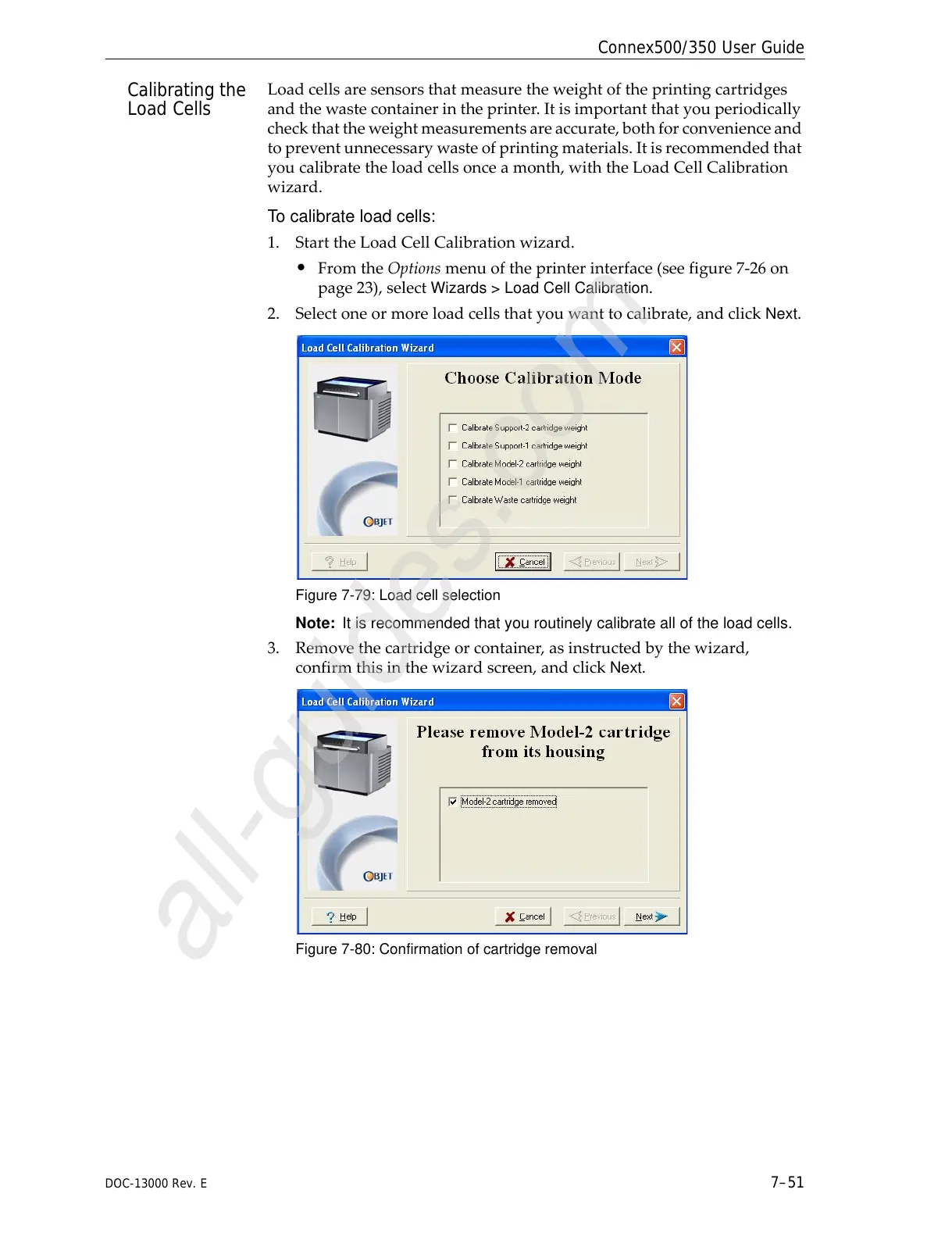
2. Selectoneormoreloadcellsthatyouwanttocalibrate,andclick
Next.
Figure 7-79: Load cell selection
Note: It is recommended that you routinely calibrate all of the load cells.
3. Removethecartridgeorcontainer,asinstructedbythewizard,
confirmthisinthewizardscreen,andclick
Next.
Figure 7-80: Confirmation of cartridge removal



 To Next Page