Operating & Maintaining the Connex500/350 3-D Printer
7–8
DOC-13000 Rev. E
Printing
Indicators
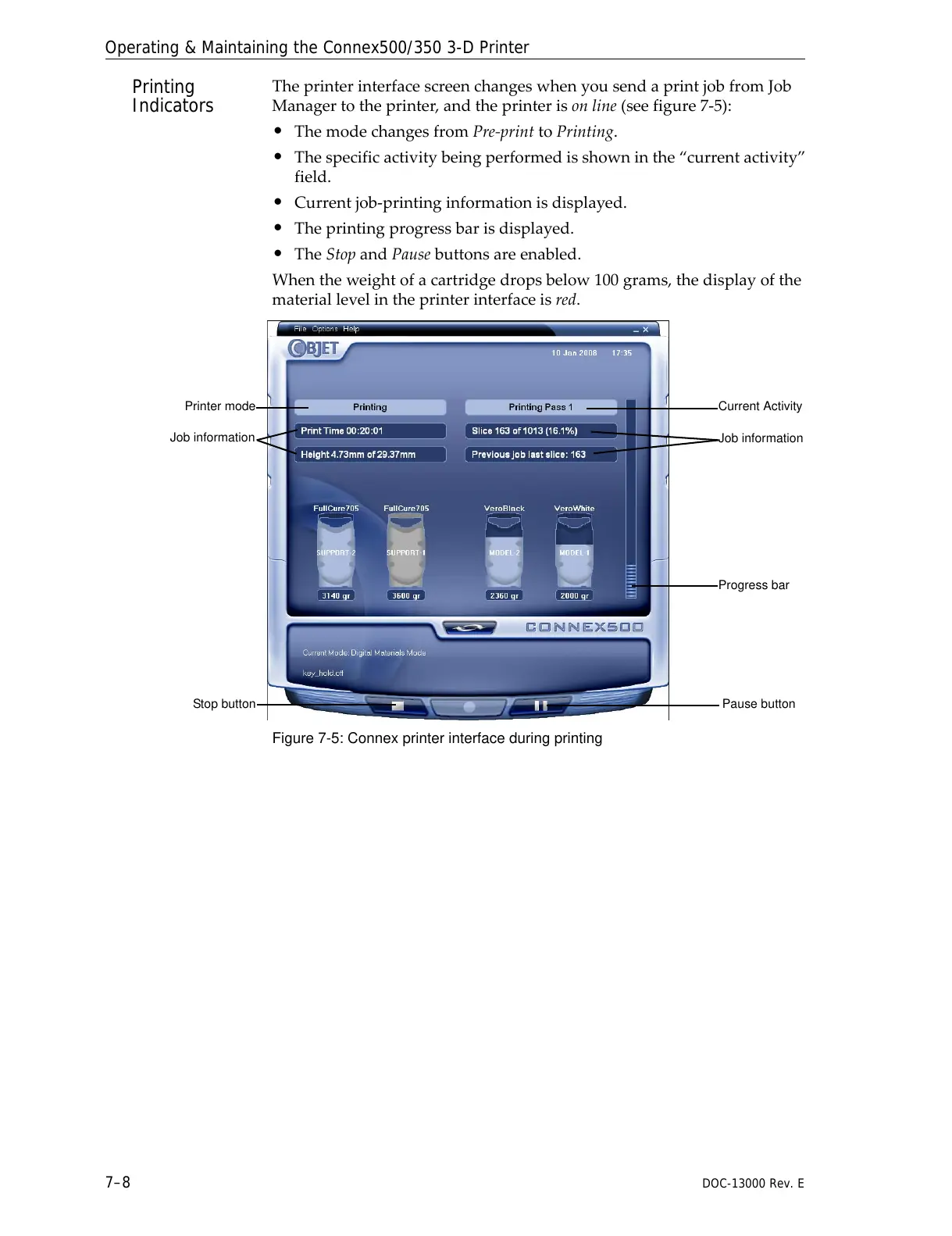
TheprinterinterfacescreenchangeswhenyousendaprintjobfromJob
Managertotheprinter,andtheprinterisonline(seefigure 7‐5):
• ThemodechangesfromPre‐printtoPrinting.
• Thespecificactivitybeingperformedisshowninthe“currentactivity”
field.
• Currentjob‐printinginformationisdisplayed.
• Theprintingprogressbarisdisplayed.
• TheStopandPausebuttonsareenabled.
Whentheweightofacartridgedropsbelow100grams,thedisplayofthe
materiallevelintheprinterinterfaceisred.
Figure 7-5: Connex printer interface during printing



 To Next Page