DOC-13000 Rev. E 7–19
Connex500/350 User Guide
Cleaning the
Print Heads
Periodicinspectionandcleaningoftheorificeplatesonthebottomofthe
printblockensuresthattheprintnozzlesarenotclogged.Awizardguides
youthroughtheprocedure,andadjustscomponentsoftheConnexprinter
toenableyoutoperformit.Thisproceduretakesabout20minutes,and
shouldbedoneatthebeginningofthewo
rkdayorbeforeabigprinting
job.
To clean the print heads:
1. Prepare—
• isopropanol(IPA—isopropylalcohol)orethanol(ethylalcohol)
• disposablecleaninggloves
• anObjet‐suppliedcleaningclothorequivalent
• amirror
2. StarttheHeadsCleaningwizardfromtheOptionsmenuoftheprinter
interface(seefigure 7‐26onpage 23).
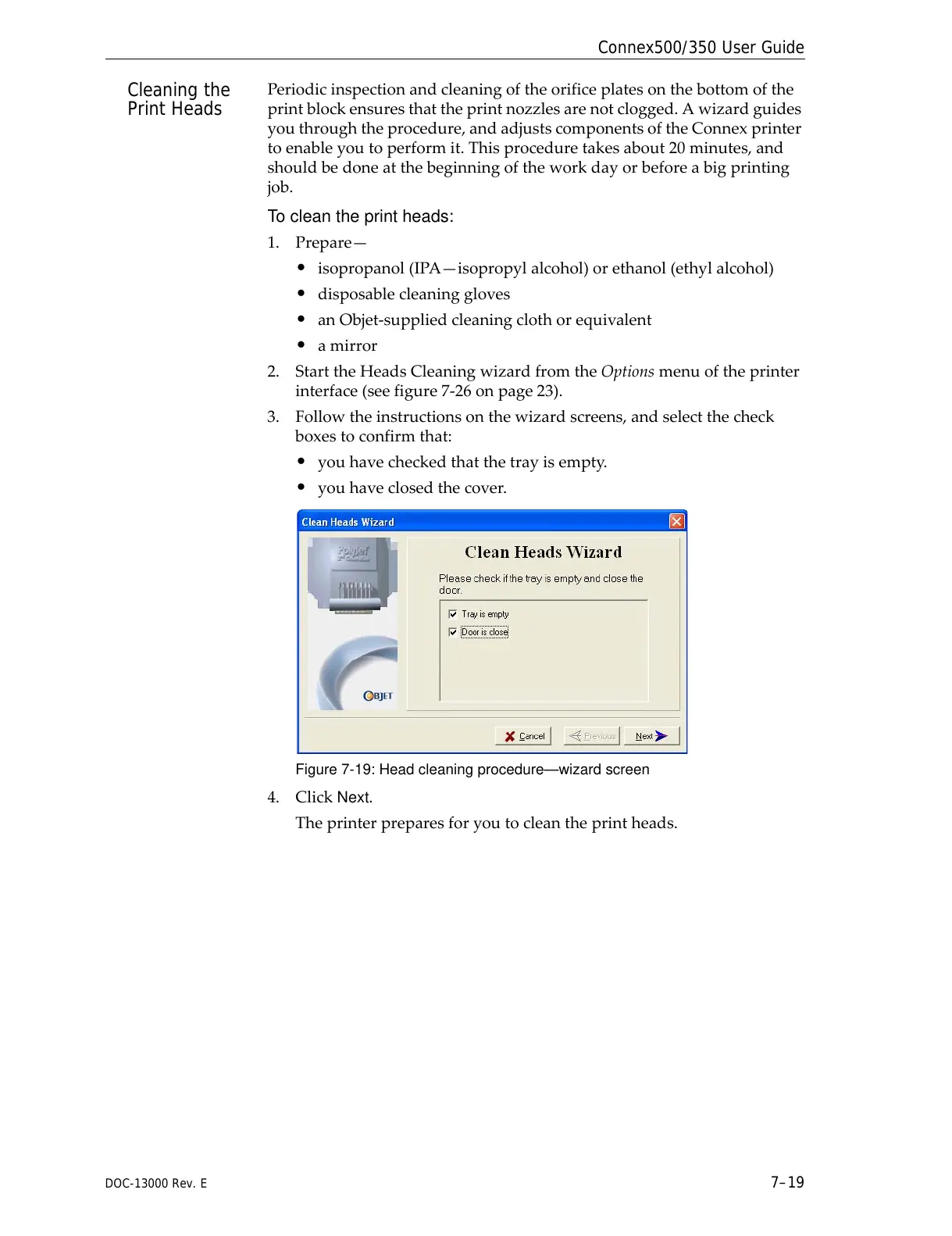
3. Followtheinstructionsonthewizardscreens,andselectthecheck
boxestoconfirmthat:
• youhavecheckedthatthetrayisempty.
• youhaveclosedthecover.
Figure 7-19: Head cleaning procedure—wizard screen
4. ClickNext.
Theprinterpreparesforyoutocleantheprintheads.



 To Next Page