Operating & Maintaining the Connex500/350 3-D Printer
7–20
DOC-13000 Rev. E
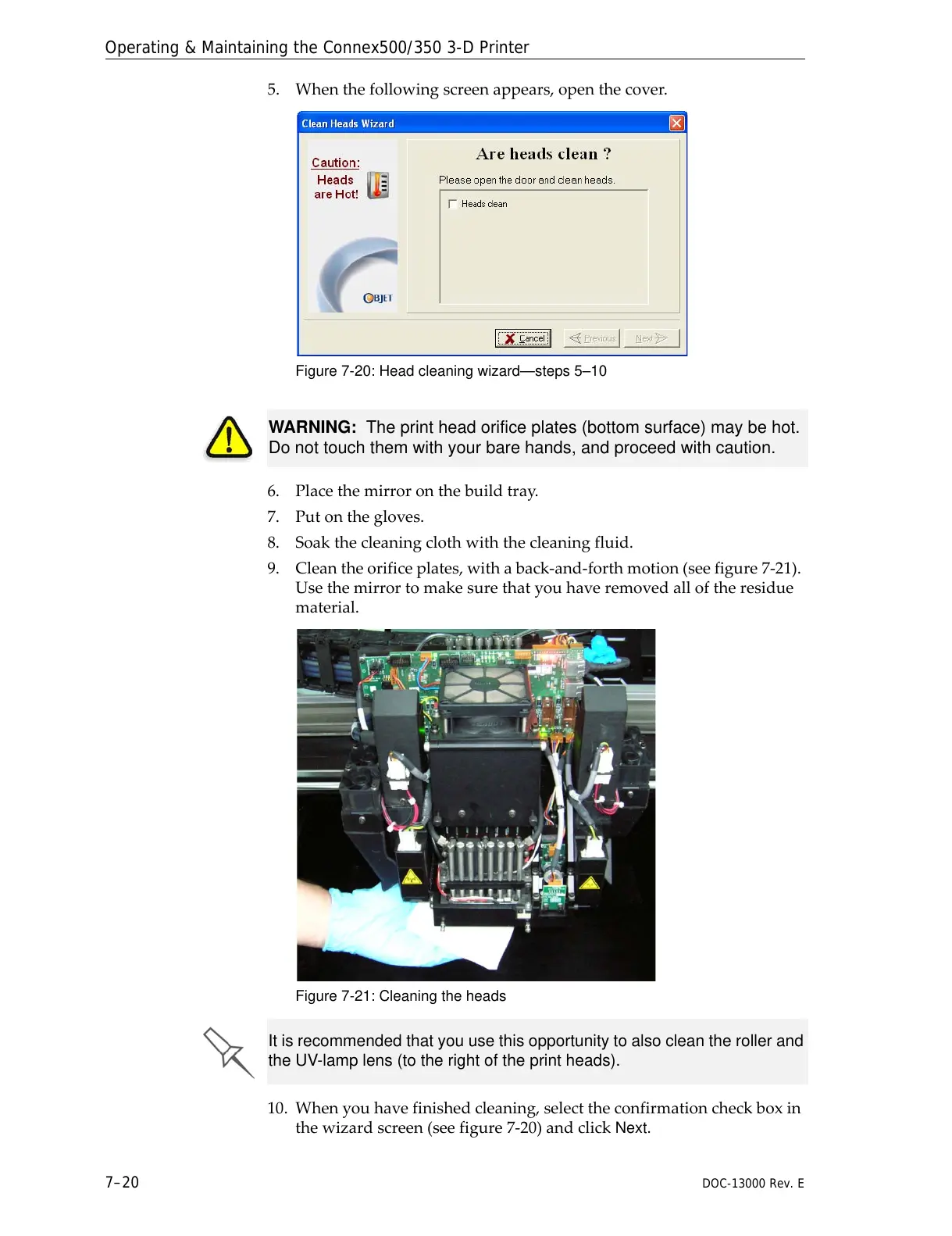
5. Whenthefollowingscreenappears,openthecover.
Figure 7-20: Head cleaning wizard—steps 5–10
6. Placethemirroronthebuildtray.
7. Putonthegloves.
8. Soakthecleaningclothwiththecleaningfluid.
9. Cleantheorificeplates,withaback‐and‐forthmotion(seefigure 7‐21).
Usethemirrortomakesurethatyouhaveremovedalloftheresidue
material.
Figure 7-21: Cleaning the heads
10. Whenyouhavefinishedcleaning,selecttheconfirmationcheckboxin
thewizardscreen(seefigure 7‐20)andclick
Next.
WARNING: The print head orifice plates (bottom surface) may be hot.
Do not touch them with your bare hands, and proceed with caution.
It is recommended that you use this opportunity to also clean the roller and
the UV-lamp lens (to the right of the print heads).



 To Next Page