Operating & Maintaining the Connex500/350 3-D Printer
7–34
DOC-13000 Rev. E
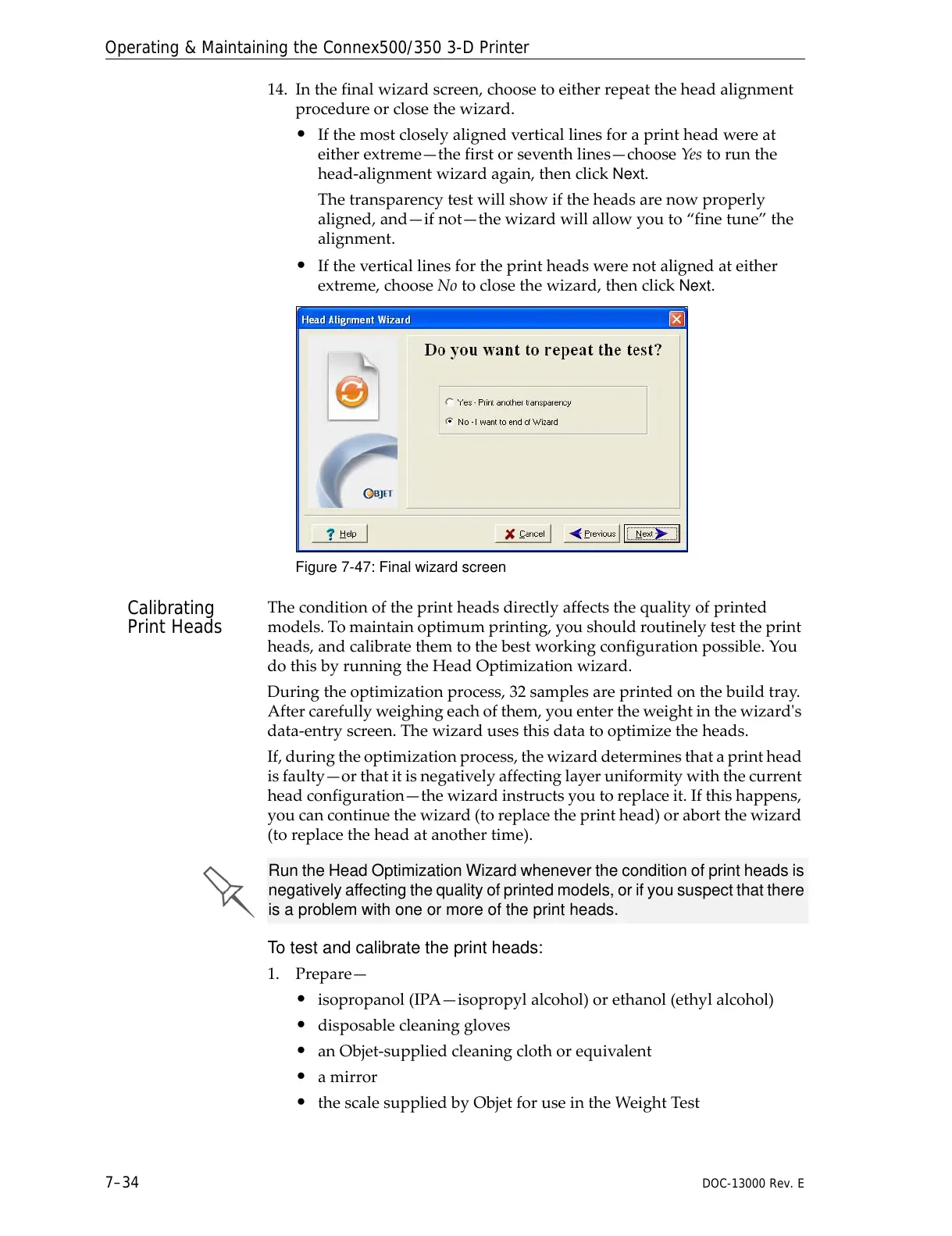
14. Inthefinalwizardscreen,choosetoeitherrepeattheheadalignment
procedureorclosethewizard.
• Ifthemostcloselyalignedverticallinesforaprintheadwereat
eitherextreme—thefirstorseventhlines—chooseYes torunthe
head‐alignmentwizardagain,thenclick
Next.
Thetransparencytestwillshowiftheheadsarenowproperly
aligned,and—ifnot—thewizardwillallowyouto“finetune”the
alignment.
• Iftheverticallinesfortheprintheadswerenotalignedateither
extreme,chooseNotoclosethewizard,thenclick
Next.
Figure 7-47: Final wizard screen
Calibrating
Print Heads
Theconditionoftheprintheadsdirectlyaffectsthequalityofprinted
models.Tomaintainoptimumprinting,youshouldroutinelytesttheprint
heads,andcalibratethemtothebestworkingconfigurationpossible.You
dothisbyrunningtheHeadOptimizationwizard.
Duringtheoptimizationprocess,32samplesareprintedonthebuildtray
.
Aftercarefullyweighingeachofthem,youentertheweightinthewizardʹs
data‐entryscreen.Thewizardusesthisdatatooptimizetheheads.
If,duringtheoptimizationprocess,thewizarddeterminesthataprinthead
isfaulty—orthatitisnegativ elyaffectinglayeruniformitywiththecurrent
headconfiguration—th
ewizardinstructsyoutoreplaceit.Ifthishappens,
youcancontinuethewizard(toreplacetheprinthead)orabortthewizard
(toreplacetheheadatanothertime).
To test and calibrate the print heads:
1. Prepare—
• isopropanol(IPA—isopropylalcohol)orethanol(ethylalcohol)
• disposablecleaninggloves
• anObjet‐suppliedcleaningclothorequivalent
• amirror
• thescalesuppliedbyObjetforuseintheWeightTest
Run the Head Optimization Wizard whenever the condition of print heads is
negatively affecting the quality of printed models, or if you suspect that there
is a problem with one or more of the print heads.



 To Next Page