DOC-13000 Rev. E 7–35
Connex500/350 User Guide
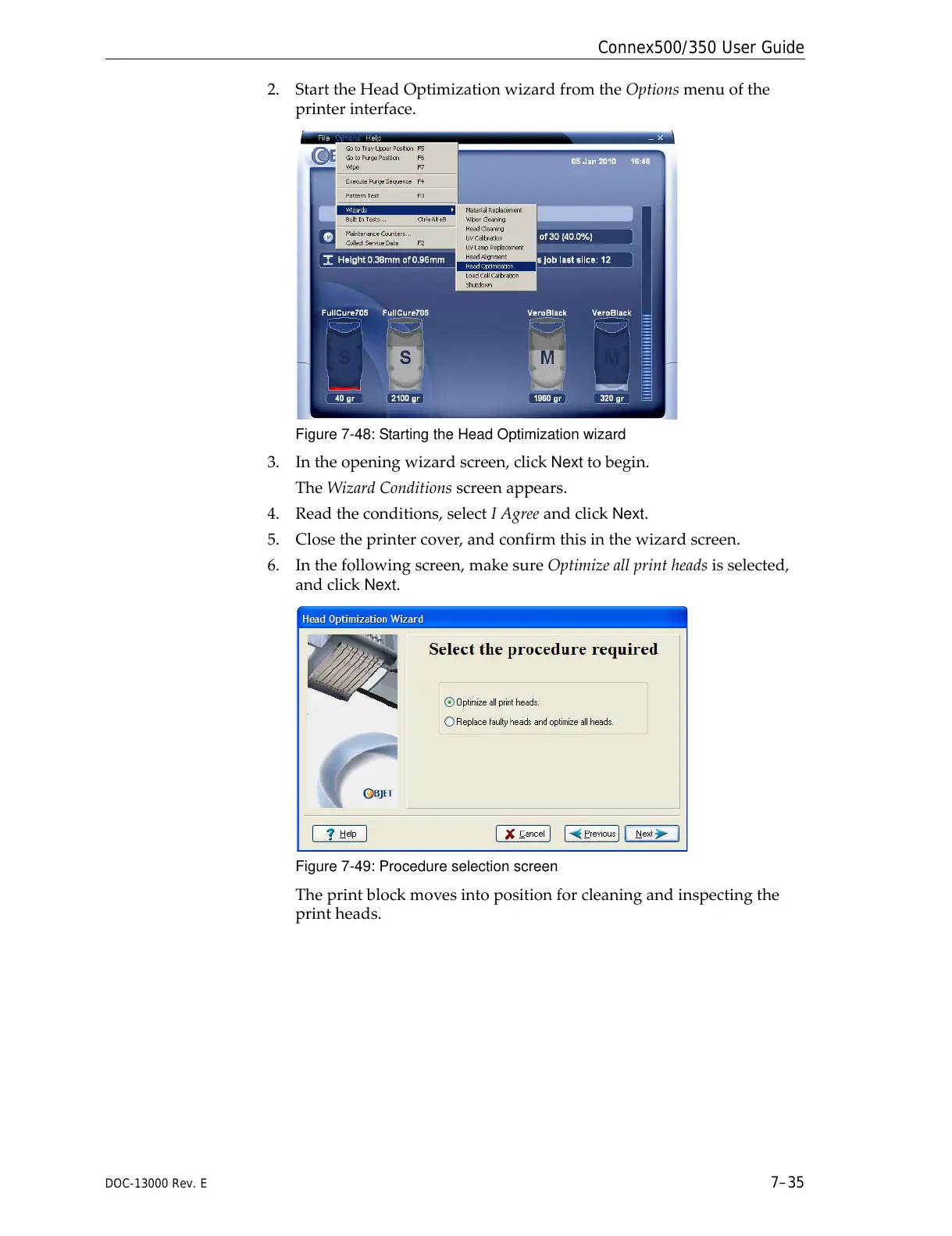
2. StarttheHeadOptimizationwizardfromtheOptionsmenuofthe
printerinterface.
Figure 7-48: Starting the Head Optimization wizard
3. Intheopeningwizardscreen,clickNexttobegin.
TheWizardConditionsscreenappears.
4. Readtheconditions,selectIAgreeandclick
Next.
5. Closetheprintercover,andconfirmthisinthewizardscreen.
6. Inthefollowingscreen,makesureOptimizeallprintheadsisselected,
andclick
Next.
Figure 7-49: Procedure selection screen
Theprintblockmovesintopositionforcleaningandinspectingthe
printheads.



 To Next Page