DOC-13000 Rev. E 7–27
Connex500/350 User Guide
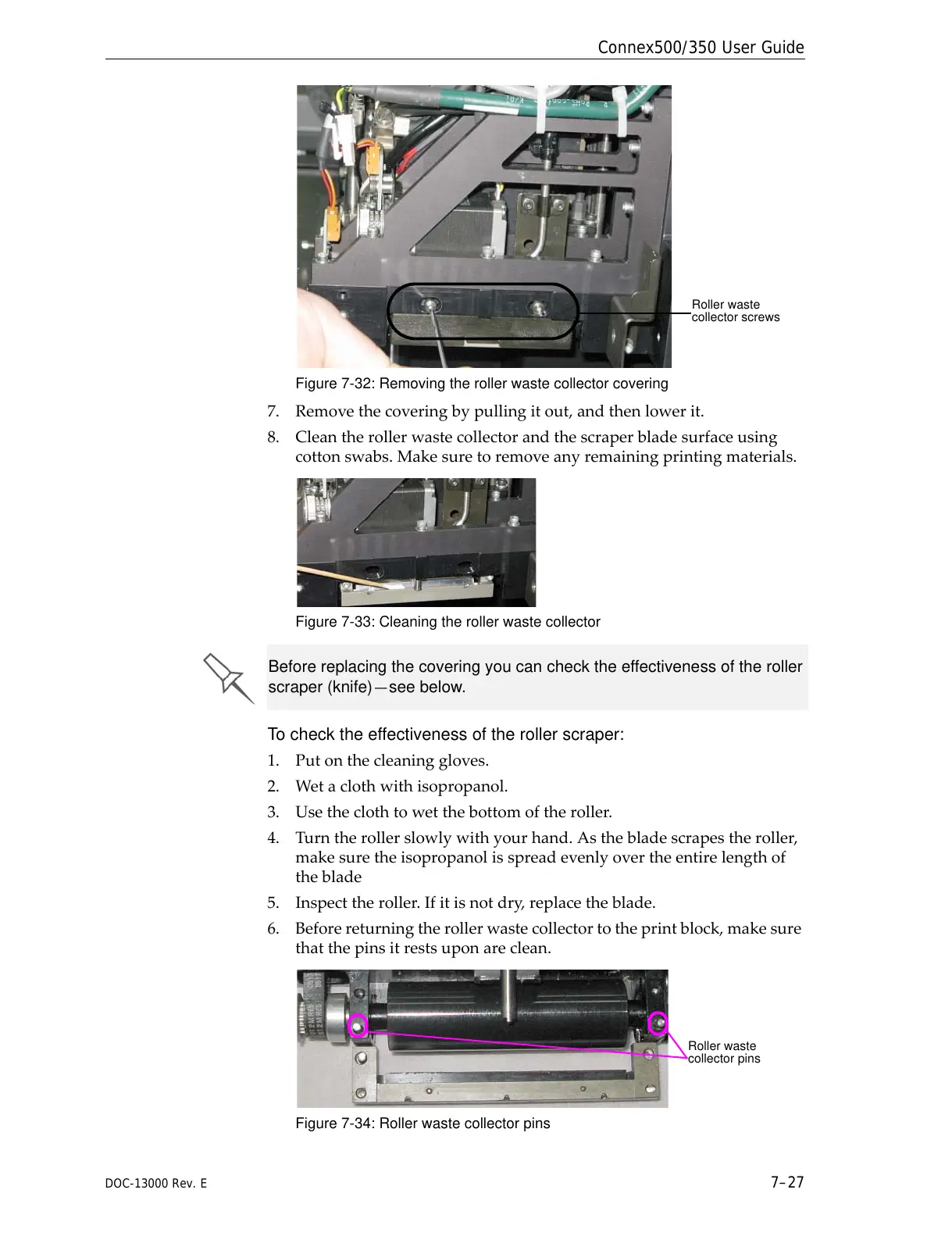
Figure 7-32: Removing the roller waste collector covering
7. Removethecoveringbypullingitout,andthenlowerit.
8. Cleantherollerwastecollectorandthescraperbladesurfaceusing
cottonswabs.Makesuretoremoveanyremainingprintingmaterials.
Figure 7-33: Cleaning the roller waste collector
To check the effectiveness of the roller scraper:
1. Putonthecleaninggloves.
2. Wetaclothwithisopropanol.
3. Usetheclothtowetthebottomoftheroller.
4. Turntherollerslowlywithyourhand.Asthebladescrapestheroller,
makesuretheisopropanolisspreadevenlyovertheentirelengthof
theblade
5. Inspecttheroller.Ifitisnotdry
,replacetheblade.
6. Beforereturningtherollerwastecollectortotheprintblock,makesure
thatthepinsitrestsuponareclean.
Figure 7-34: Roller waste collector pins
Before replacing the covering you can check the effectiveness of the roller
scraper (knife)—see below.



 To Next Page