Setting up your receiver
OCEASOFT LoRaWAN Receiver User Guide Page 11
2 Setting up your receiver
The OCEASOFT LoRaWAN enabled receiver is configured using an integrated web
interface. You must use that interface to determine how your receiver connects to
the Internet, that is, via an Ethernet or Wi-Fi , or cellular data connection,
depending on your model. This chapter describes how to connect to your receiver
and enter the appropriate settings for your solution.
2.1 Getting started
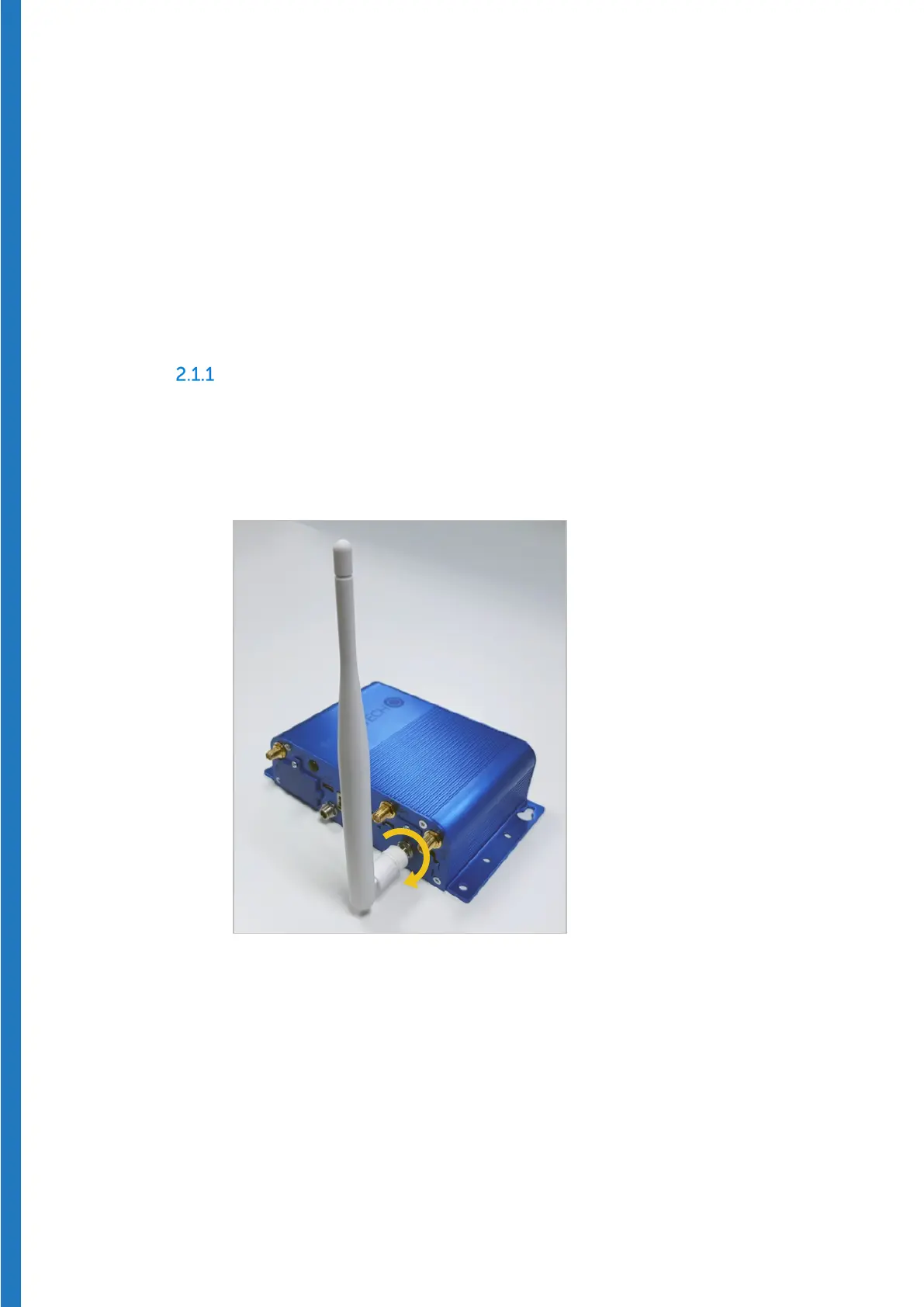
Plug in the LoRaWAN antenna
Advanced model
1. Plug the provided LoRaWAN radio antenna on the “RF” connector (the
location may vary according to your unit’s options).
2. Hand-tighten the antenna by rotating the ring clockwise.
Figure 4 – Attach LoRaWAN antenna to connector labeled “RF”


 To Next Page