Setting up your receiver
OCEASOFT LoRaWAN Receiver User Guide Page 29
Software set up
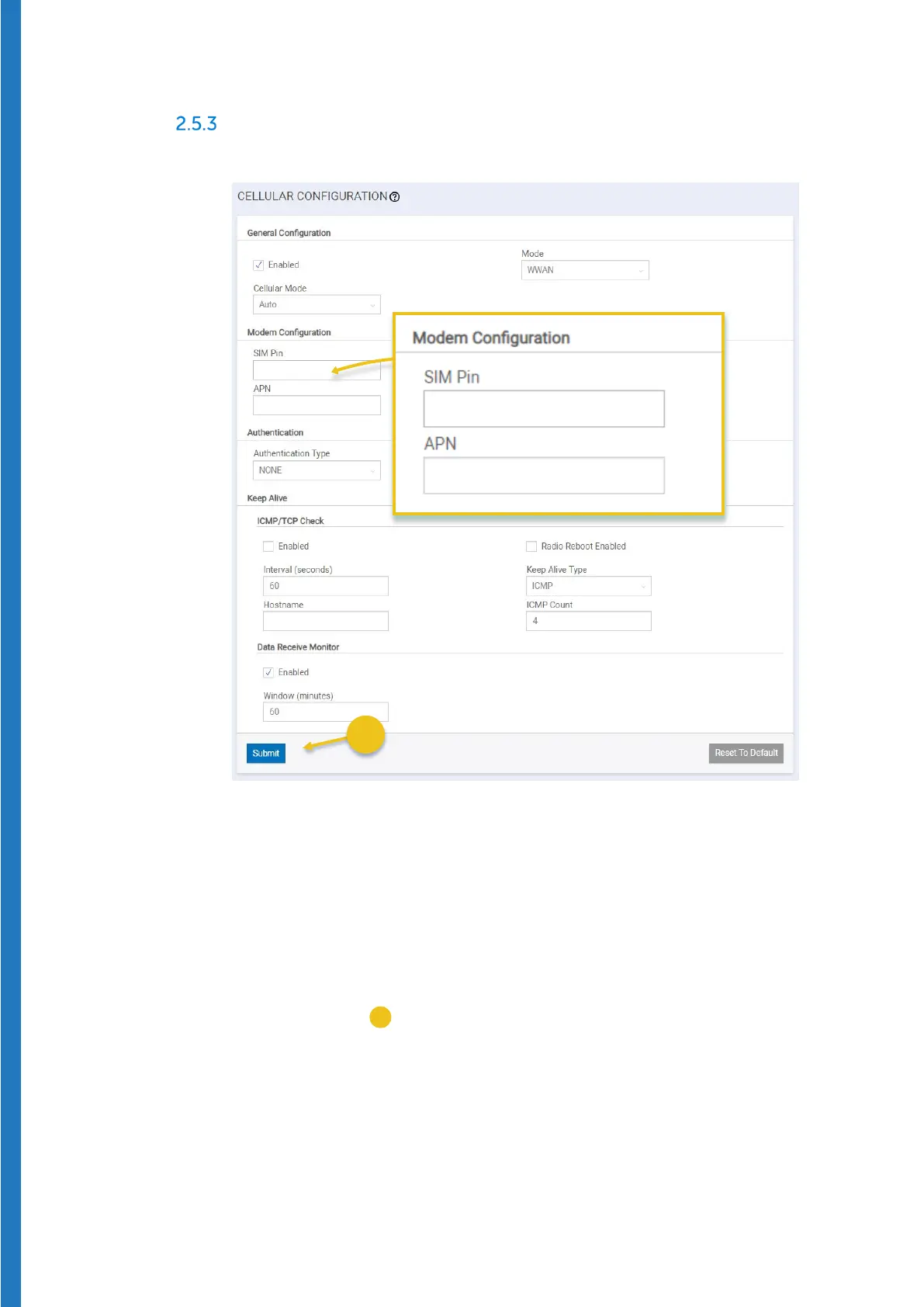
1. Select Cellular Cellular Configuration from the main menu:
Figure 27 – Edit SIM Pin and APN fields for cellular communications
2. In this screen, the only fields you should need to edit are:
SIM Pin If necessary, enter the PIN number to unlock access to your
SIM card. Many data-only (Internet of Things) solutions do not
require a SIM code.
APN Enter the code provided by your cellular service provider.
All other fields may be left with their default values.
3. Click on
Submit (
) to save your settings, then click on Save and Restart
to complete configuration. This process may take several minutes to
complete.


 To Next Page