Setting up your receiver
OCEASOFT LoRaWAN Receiver User Guide Page 31
2.6 Configuring “failover” order for network access
If you have more than one Internet connectivity option installed in your receiver,
the receiver can switch from one to another in case of failure. For example, if you
choose to run Ethernet as your primary connection and the connection fails at
some point, you could backup the communication channel by also configuring the
optional cellular data connection as described below:
1. Click on
Setup WAN Configuration
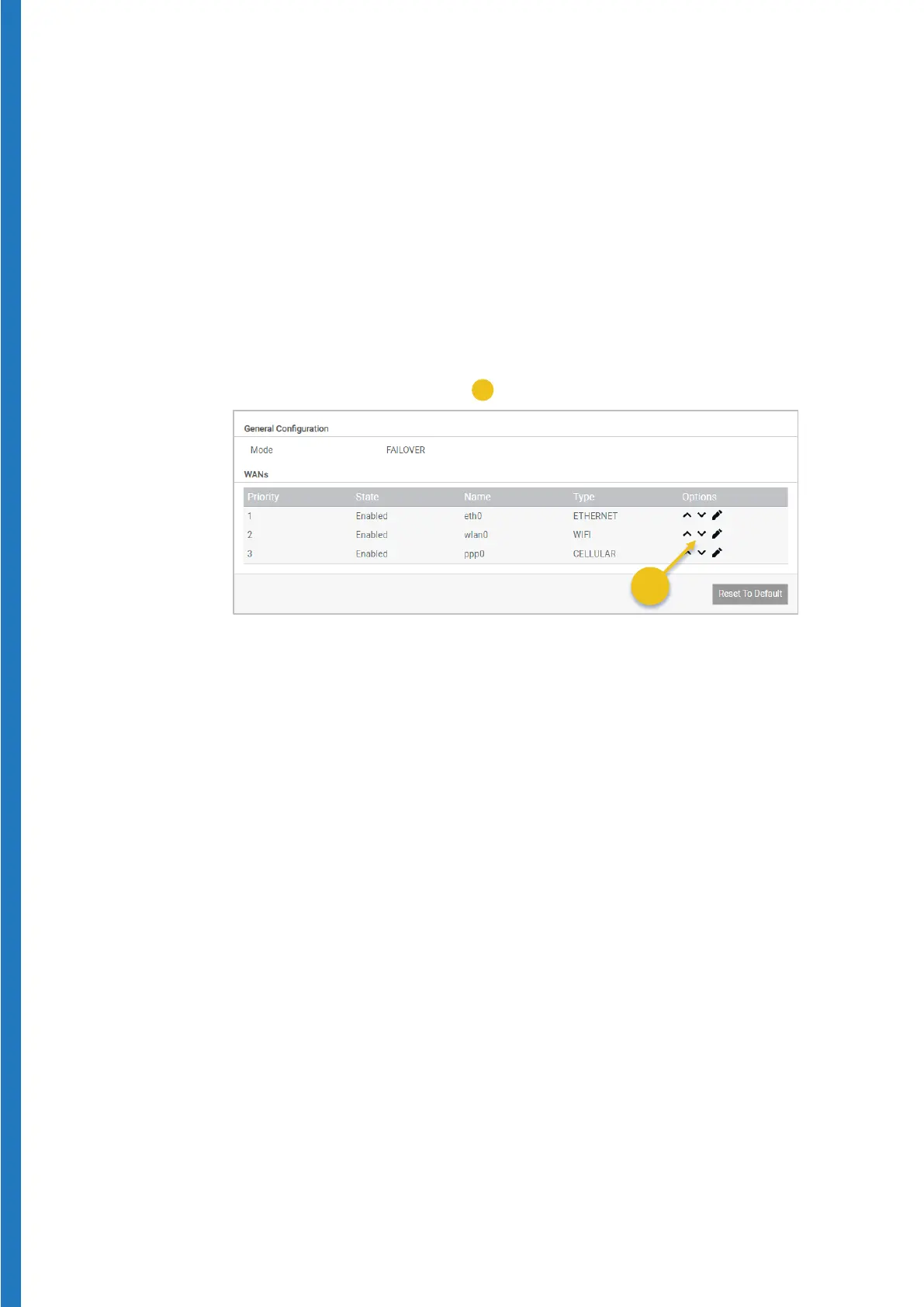
The list below shows the priority order in which connectivity options are
used. In the case below, Ethernet is used in priority. The receiver would
switch automatically to cellular data if communication via Ethernet fails.
2. Click on the up/down arrows (
) to change network priority order.
Figure 29 – Determine network “failover” order


 To Next Page