Setting up your receiver
OCEASOFT LoRaWAN Receiver User Guide Page 25
Using a pre-shared WPA/WPA2 key
Wi-Fi Protected Access Pre-Shared Key (WPA-PSK) is an encryption method for
authenticating users or devices on wireless local area networks.
Some Wi-Fi networks may require you to enter a pre-shared WPA/WPA2 key in
order to connect the LoRaWAN receiver.
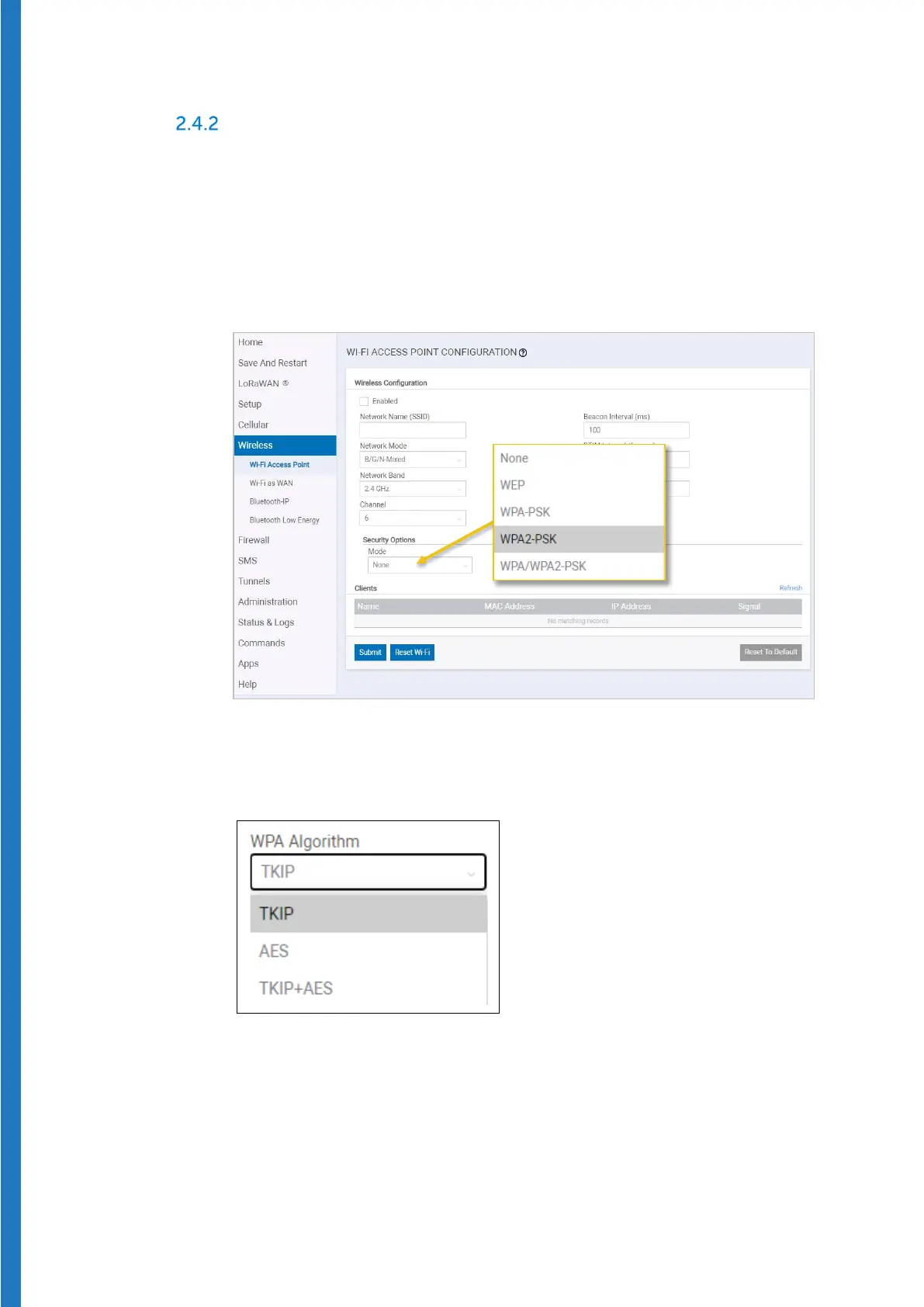
In the receiver’s administration interface:
1. Click on
Wireless, then click in the Security Options field.
Figure 21 – Assigning a pre-shared Wi-Fi key
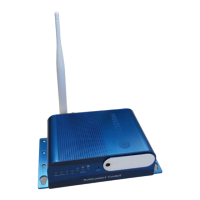
2. Choose the security option used for your network. For example, if you
choose WPA or WPA2, click to select the appropriate WPA Algorithm:
Figure 22 – Assigning a pre-shared Wi-Fi key


 To Next Page