
 Need help?
Do you have a question about the Oceasoft LoRaWAN and is the answer not in the manual?
Details OCEASOFT's liability and product usage restrictions.
Outlines compliance with FCC rules and radiation exposure limits.
Details Industry Canada license-exempt RSS standards and radiation limits.
Covers CE, WEEE, and RoHS directives compliance for the device.
Advises on proper disposal and recycling of devices and packaging.
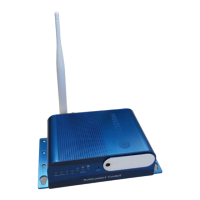
Provides an overview of the LoRaWAN receiver's function and connectivity.
Lists primary functionalities, status indicators, and data handling.
Details LoRaWAN technology, range, and common hardware specifications.
Details specific hardware differences and dimensions for Advanced and Pro models.
Summarizes key technical features and lists items included with the receiver.
Explains the system architecture and data flow from loggers to OCEACloud.
Introduces receiver setup via a web interface and initial connection steps.
Provides instructions for attaching the LoRaWAN antenna to the receiver.
Guides on connecting the power cable and AC adapter to boot the receiver.
Details connecting the receiver via Ethernet and setting up the computer's IP address.
Instructions to access the receiver via web browser and initial login procedures.
Guides on setting up a new username and password for the receiver.
Explains how to select the geographical region for correct LoRaWAN frequencies.
Details matching channel plan to hardware and submitting settings.
Describes configuring the receiver for an Ethernet wired network connection.
Instructs to submit settings and avoid enabling the receiver's DHCP server.
Outlines the process for setting up a Wi-Fi connection for the receiver.
Explains how to add and configure a Wi-Fi network using the administration interface.
Provides a solution for static IP Wi-Fi connections using an intermediary router.
Details how to connect to Wi-Fi networks requiring WPA/WPA2 pre-shared keys.
Instructions for entering the Wi-Fi security key and submitting settings.
Guides on setting up an optional cellular data connection for the receiver.
Steps for inserting a SIM card into the Advanced model receiver.
Instructions for inserting a SIM card into the Pro model receiver.
Details configuring SIM PIN and APN settings for cellular communications.
How to verify cellular connection status via the receiver's interface.
Explains how to set priority for multiple network connections (e.g., Ethernet, Cellular).
Details configuring LoRaWAN parameters like Server Address and Keep Alive Interval.
Guides on testing the LoRaWAN server connection and saving settings.
Explains using the 'Test LoRa Server' function to check network connectivity.
Suggests testing receiver-module connection and contacting OCEASOFT for site surveys.
Provides a solution for cellular IP acquisition problems via 'Wake up on call'.
Details how to perform a factory reset on the receiver using the reset button.
Outlines steps for connecting, selecting firmware file, and starting the upgrade.

 To Next Page
 General